Lifetime Memberships
Last updated: October 8, 2026
Some memberships never expire, thus they are known as Lifetime Memberships. Examples might include members who paid once, honorary members recognized by your board, and founding members.
Setting a member type to Lifetime keeps those members Current indefinitely. It removes expiration dates from their records and Member Compass, and it keeps them out of renewal processes.
That replaces two common alternatives:
Assigning a far-future expiration date.
Auto-renewing the member every year at $0 dues.
What is a Lifetime Membership?
A Lifetime Membership is a membership tied to a member type that does not expire.
This is specifically intended for member types such as:
Lifetime Members
Honorary Members
Retired Members
Other member types where benefits do not expire on a future date
Create a Member Type to Lifetime
Go to Members > Member Types.
Click Add Member Type in the top right.
Add initial details (you can update these later) and Save & Close.
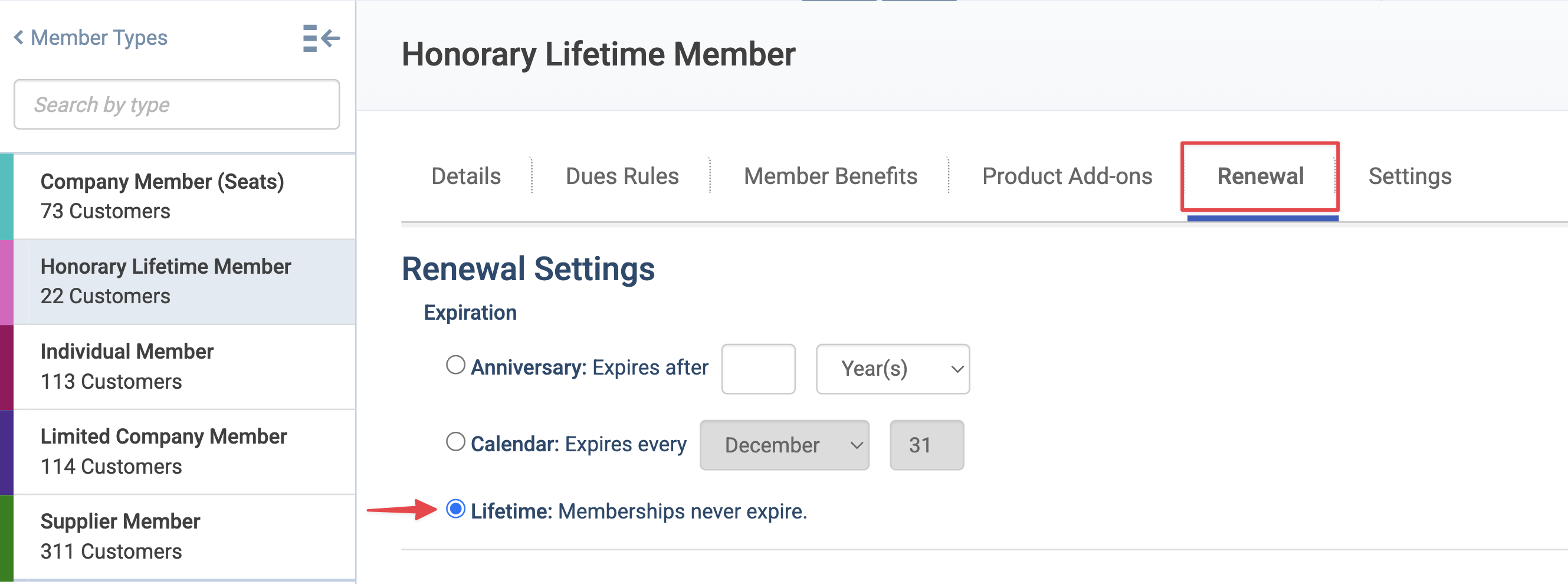
Go to the Renewal tab.
In the Expiration section, select Lifetime: Memberships never expire.
Click Save.
Renewal settings that don't apply to lifetime memberships are hidden once Lifetime is selected.
Converting an Existing Member Type to Lifetime
Navigate to the Member Type Details
Go to the Renewal tab.
In the Expiration section, select Lifetime: Memberships never expire.
Click Save.
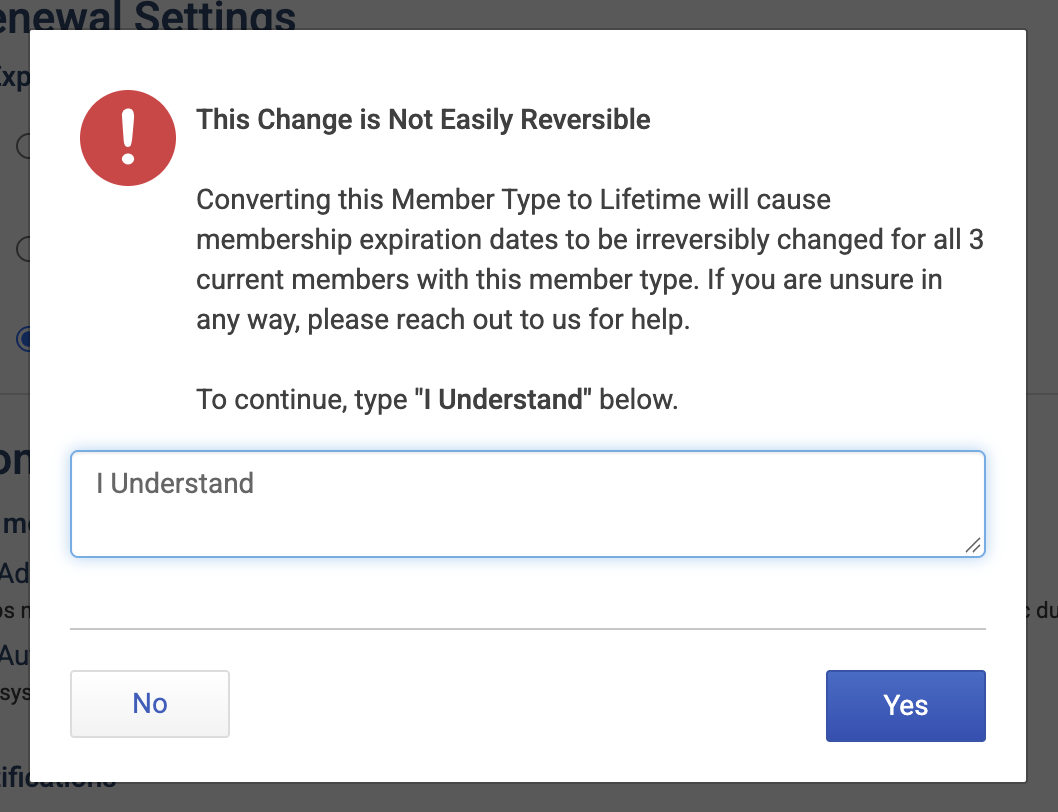
You'll see a pop up confirmation warning. To continue, you'll need to type the confirmation phrase shown in the window.
What happens after converting a member type to Lifetime?
Members with a Current status become lifetime members, and their expiration date is deleted and removed.
Members who are Expired, in Grace Period, or Prospects become Prospects on that member type.
If you convert an existing member type to Lifetime, it will be hard to revert the changes if they were unintentional. Reach out to us with any questions before converting your member type to lifetime.
Charge a One-Time Lifetime Fee
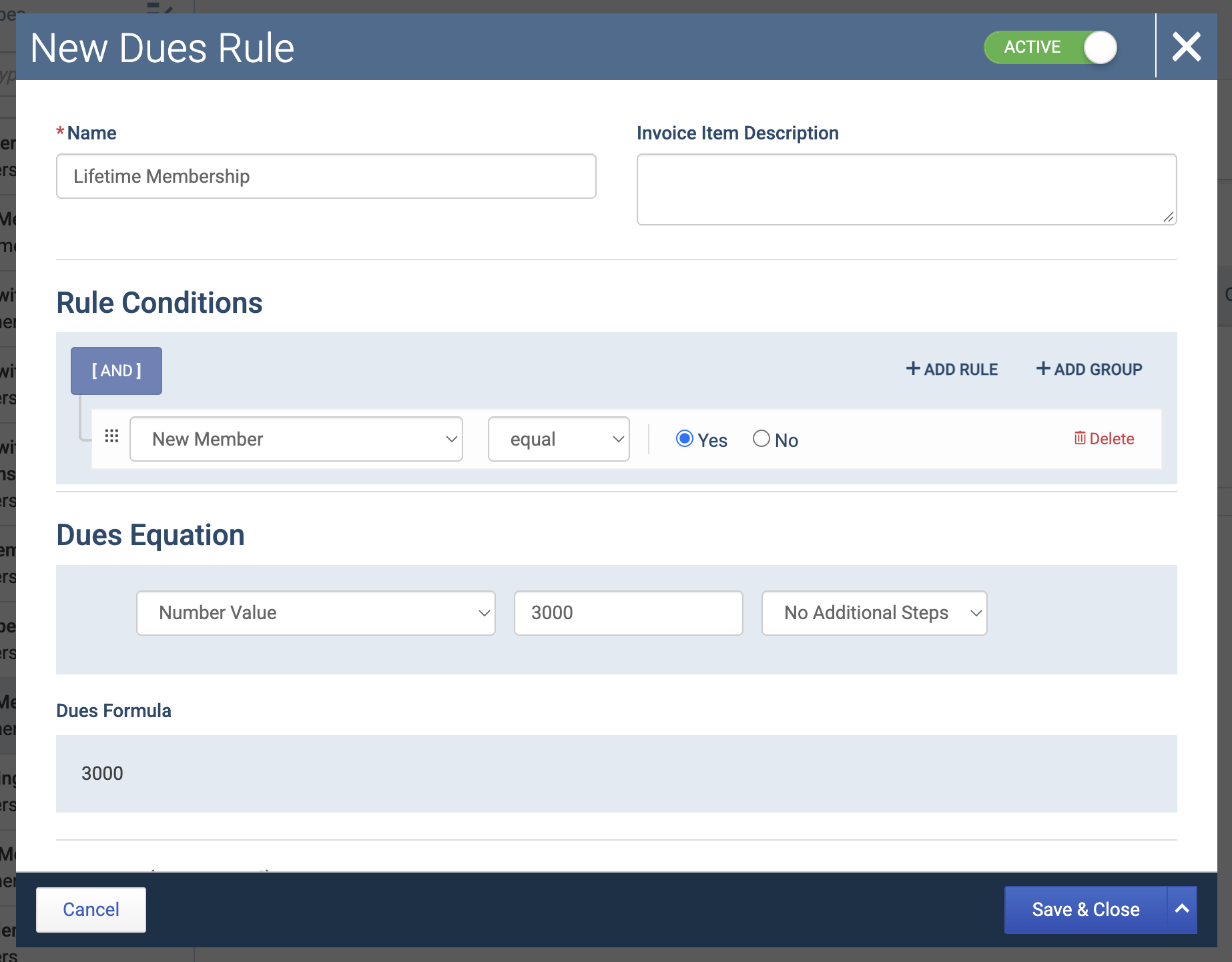
If you offer lifetime membership as a paid option, you can charge a one-time fee for joining that member type. Use a dues rule that applies to New Members only. The member pays when they join and is never billed again as long as they remain unchanged within that member type.
What Members See in Member Compass
Current lifetime members see their member type name, but no expiration date. They aren't shown renewal options or prompted to renew.
Renewals
Current lifetime members are excluded from renewals entirely. They won't:
Receive renewal notices.
Appear in the renewal queue.
See a renew option in Member Compass.
What Admins See
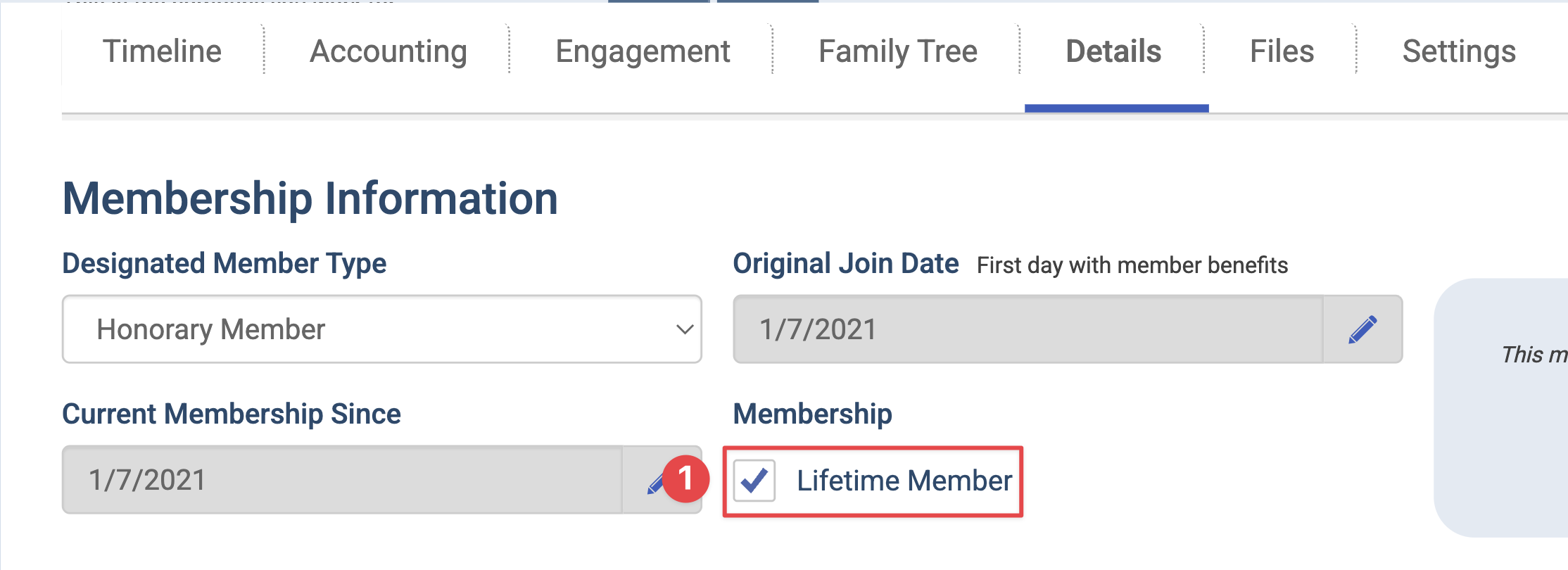
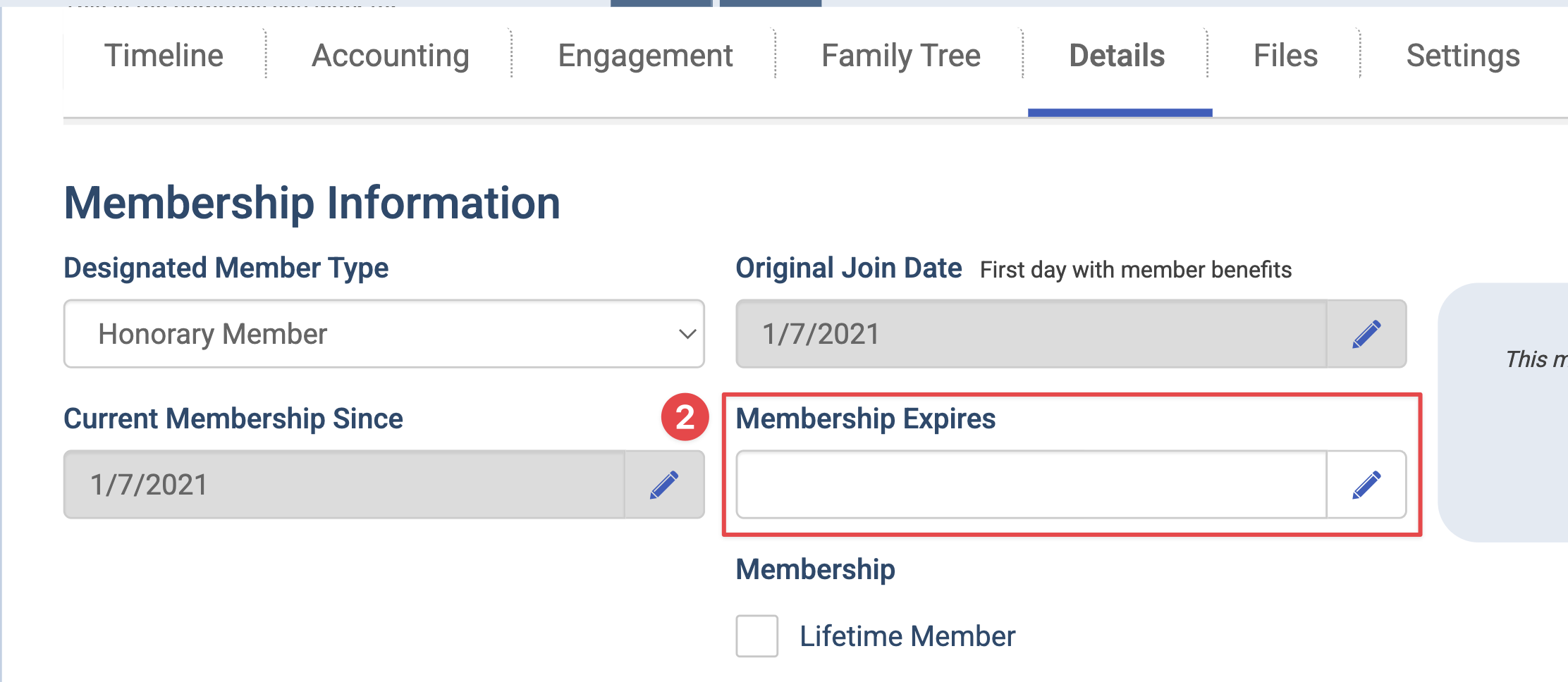
On the member record, a Lifetime Member checkbox replaces the Membership Expires date field.
The member stage shows Lifetime Membership in place of an expiration date.
In list views, the expiration column shows Lifetime Membership. When you sort by expiration date, lifetime members appear after all future dates.
To build groups, use the Is Lifetime Member condition, or Parent Is Lifetime Member for records under a lifetime parent.
End a Lifetime Membership
Use these steps when a lifetime member should no longer receive benefits, for example, after the death of a member or their honorary status is withdrawn.
Open the member's record.
Go to the Details tab and go to the Membership Information section.
Uncheck Lifetime Member.
A Membership Expires date appears. It defaults to yesterday. You can change it to any earlier date, but not to today or a future date.
Click Save.
The member stays on the Lifetime member type, and their status changes to Expired.
Converting from Lifetime Back to Anniversary or Calendar
If you switch a Member Type from Lifetime to Anniversary or Calendar, all members within that type become Prospects, including current lifetime members. Before converting, run a report of everyone within that member type and review their statuses. If anyone should stay a member, update their membership first.
Because of the complexity described above, reach out to our team for assistance before converting a Lifetime membership to Calendar/Anniversary renewals.