Create Groups Based on Committee Service
Last updated: October 6, 2026
Use the Committee Service group condition to build groups based on the committee role a person holds and when they hold it: now, in the past, in the future, or never. It keeps past chairs out of your current leadership list, gets incoming leaders onboarded before their term starts, and helps you find members who haven't volunteered yet.
When to Use Committee Service in Groups
This condition is helpful when you need clearer committee reporting or more accurate group results, especially when you're using that group to lock down content on the frontend like Committee-specific pages, lock down pricing, or sync that list to MailChimp or Constant Contact.
For example, if you need a group of members who are currently serving as Chair on a specific committee, Committee Service lets you target that current committee and role combination instead of including someone who held that role in the past.
Build a Committee Service Condition
Go to Members > Segments > Groups.
Click Add Group, or open an existing group.
In the Conditions section, search for and select Committee Service.
Choose an operator (a service timeframe/expectation).
Choose a committee and role value.
Save the group and review the Members tab to confirm the results.
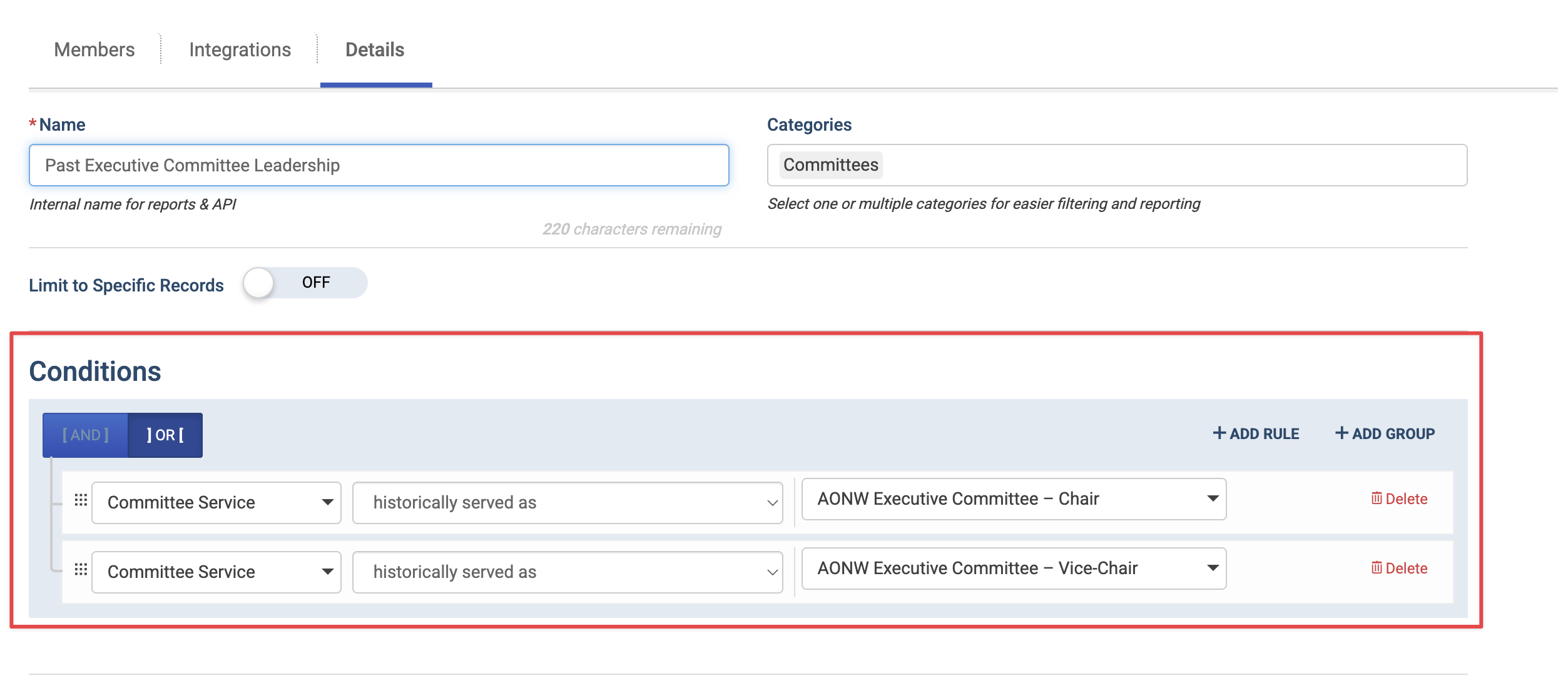
Available Operators
The operator controls when someone's service counts.
currently serving as – Includes people whose term in the selected service is active today.
historically served as – Includes people who held the selected service in the past.
will serve in the future as – Includes people with a scheduled term that hasn't started yet.
never served or scheduled to serve as – Includes people with no past, current, or future term in the selected service.
currently, historically, or is scheduled to serve as – Includes anyone with any term in the selected service, regardless of dates.
Choosing committee and role values
The value list is organized so you can select broad or specific committee service combinations:
Any Committee – Any Role: Matches service in any role on any committee.
Any Committee – [Role Name]: Matches the selected role across any committee.
[Committee Name] – Any Role: Matches any role on one specific committee.
[Committee Name] – [Role Name]: Matches one specific role on one specific committee.
Real-World Examples
Committee Leadership Email List
Sync the group to MailChimp or Constant Contact to send a monthly briefing to every current chair and vice chair
Committee Service currently serving as Any Committee – Chair
OR Committee Service currently serving as Any Committee – Vice Chair
When terms roll over, outgoing chairs drop off and new ones are added without anyone editing the list.
→ Learn more:
Incoming Leader Orientation
Get new leaders up to speed before their term starts.
Committee Service will serve in the future as Any Committee – Chair
Use this group to bulk register incoming chairs into your leadership orientation event, or sync it for a pre-term welcome email series.
→ Learn more: 📄 Bulk Register Attendees for Events as an Admin
Board-Only Resources
Restrict board packets, minutes, or a board portal page to the people serving on the board right now.
Committee Service currently serving as Board of Directors – Any Role
Use the group to lock down a static page, blog category, secure files, or to send custom reports. Access ends automatically when someone's board term ends.
Volunteer Recruitment Campaign
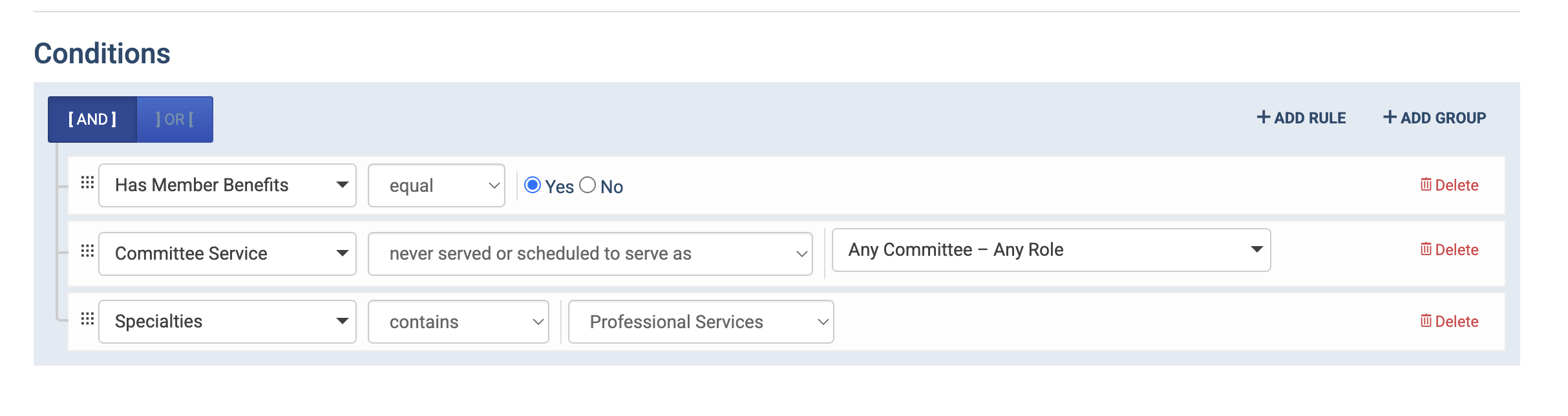
Invite engaged members who have never held a committee role.
Has Member Benefits = Yes
AND Committee Service never served or scheduled to serve as Any Committee – Any Role
Past Presidents Recognition
Invite every past president to a reception at your annual conference.
Committee Service historically served as Board of Directors – President
Use the group to lock a complimentary or reduced-price ticket so only past presidents can see and purchase it.
Volunteer Appreciation Pricing
Thank active volunteers with a discounted registration rate.
Committee Service currently serving as Any Committee – Any Role
AND Membership Status = Current
Lock the discounted ticket to this group. Adding Membership Status keeps lapsed members with an active committee term from receiving the member-volunteer rate.
Tip: Combine Committee Service with other conditions, such as Membership Status or Member Type, so that committee terms alone don't grant access or pricing to lapsed members.