Instagram Feed Setup
Last updated: September 3, 2026
How to add an Instagram post to your website.
To setup an Instagram feed on a site, copy and paste the code below into the Source Code of the appropriate section. Be sure to switch out the URL and association acronym.
Add Instagram Post as a Widget
Replace all code with this:
Title Placeholder
To get the code:
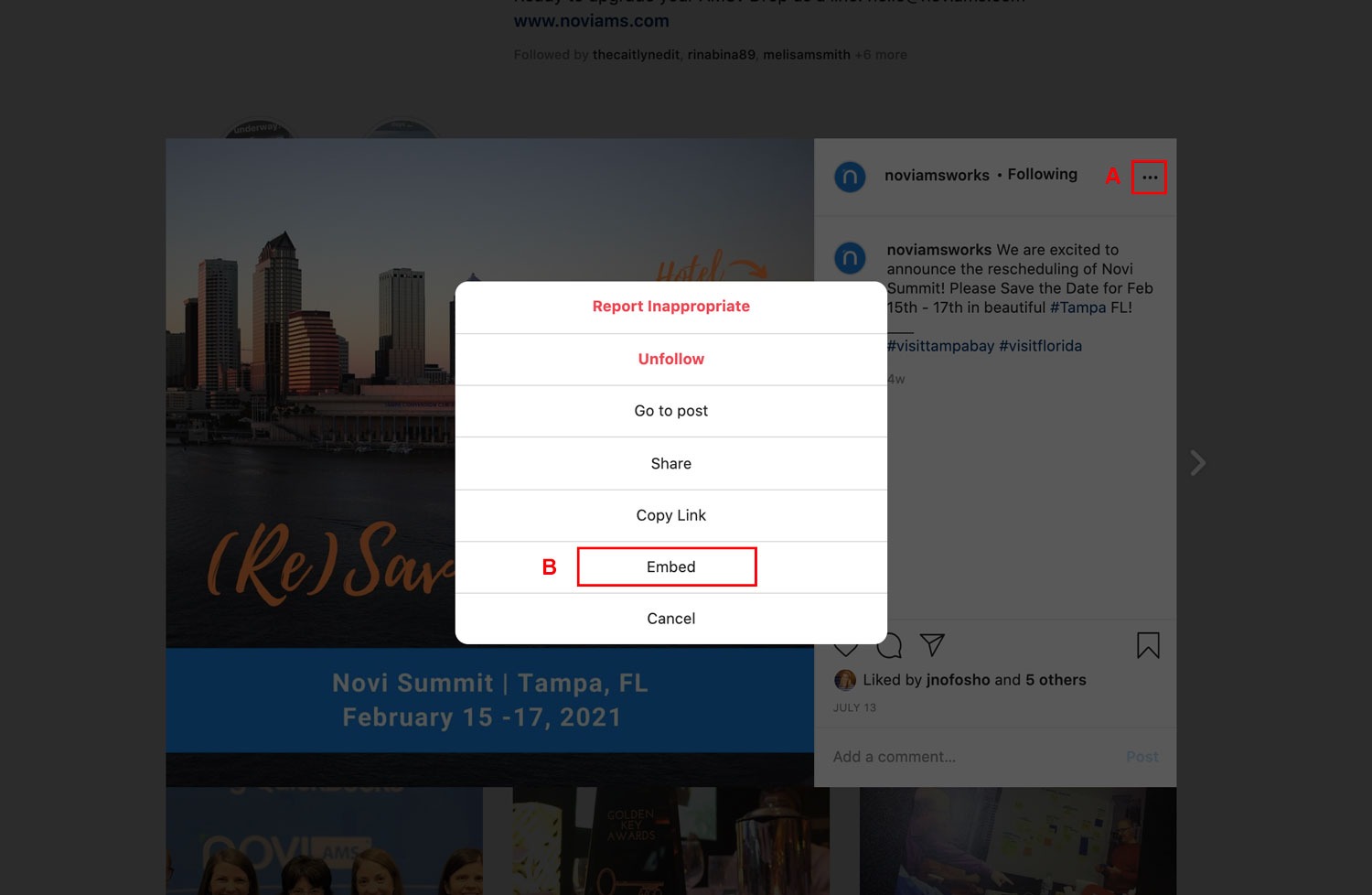
Go to the Instagram post
Click on the three dots
Click the Embed option
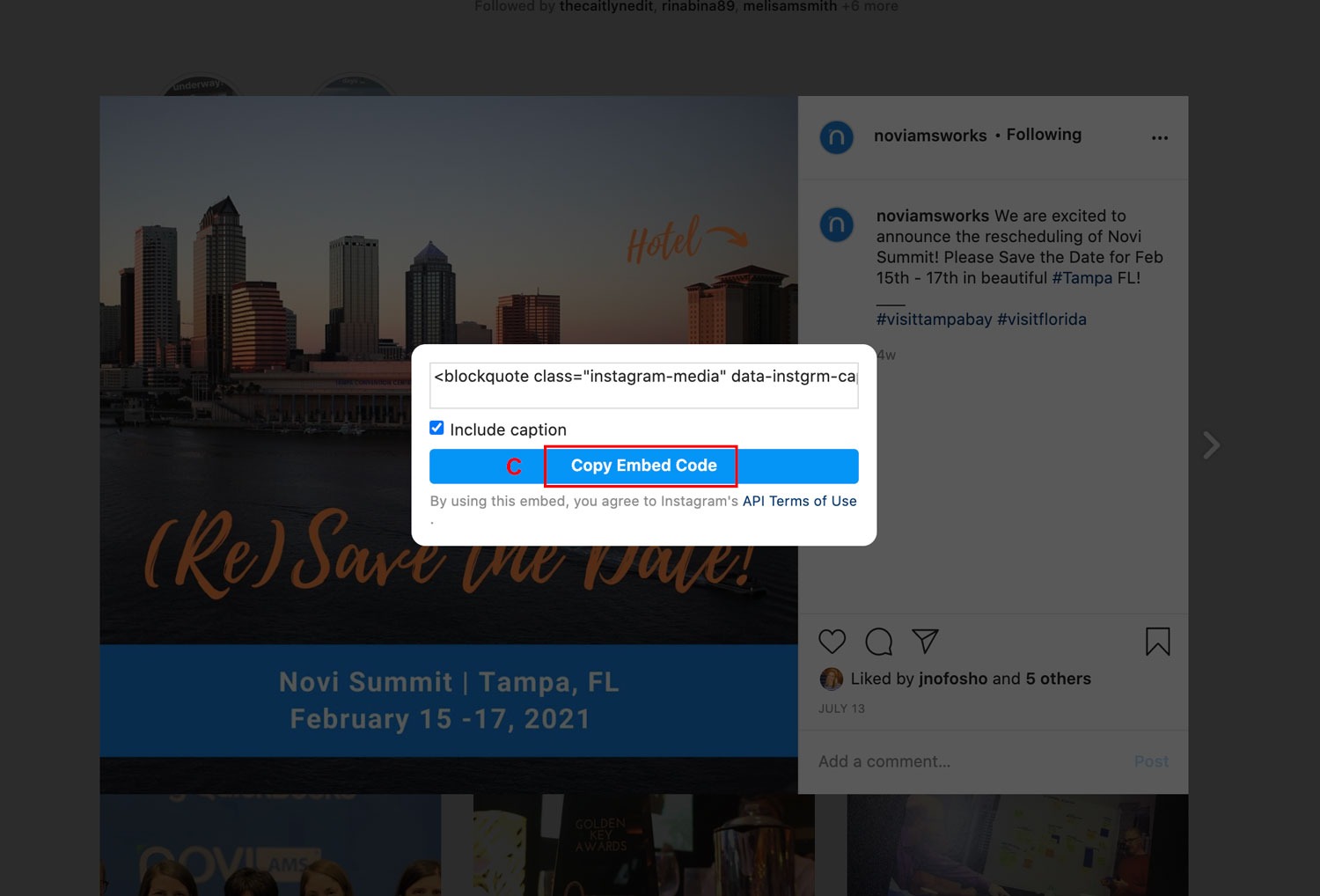
Click the Copy Embed Code button
Paste the Instagram code into the code above in place of
Add Instagram Post to a Page
Follow the steps above and paste the embed code directly into the Source Code on the Page you'd like the post displayed.
Replace an Existing Post
The best way to do this would be to treat it as new content and repeat the steps above.
Additional Notes
>> When admins are logged in, the IG feed may not display correctly. They'll need to log out to view the embedded feed.
>> Instagram only provides embed code for a single post, not a feed. More info in this article https://embedsocial.com/blog/embed-instagram-feed-for-free/ which mentions:
You can attach only one post at a time.
No option for customizations, content moderation, performance analytics, live content updates, multiple posts, etc.