What’s New at Novi: October 2026
Last updated: October 9, 2026
Novi AMS regularly releases new enhancements. Check out what’s new!
📣 Novi Happenings 📣
🌴 Novi Summit Registration is Open
Registration is officially open for Novi Summit 2027!
Join Team Novi and fellow association professionals for hands-on learning, practical takeaways, and plenty of time to connect with the Novi community. Whether you’re brand new to Novi or ready to dig into more advanced strategy, Summit is designed to help your team get more out of Novi.
🚗 Team Novi On the Road
The Novi Road Show is still rolling, and we’d love to see you at one of our upcoming stops!
These half-day, in-person trainings are a great way to learn alongside other Novi users, ask questions, and bring practical ideas back to your team.
Dallas
November 12
Grand Rapids
December 2
🔄 Renewal Season is Here
Many associations with calendar-year memberships are preparing for one of the busiest times of the year: renewal season.
If your team is reviewing dues rules, preparing renewal invoices, planning member communication, or getting ready for drops, we have resources to help you feel confident heading into the process.
Join us for upcoming renewal-focused training or Office Hours to talk through your questions with the Novi team.
Register for Membership Renewals & Drops Group Training →
💳 Notice for Customers Using Legacy Novi Pay - Stripe
Stripe has published updated user terms that may apply to organizations using Novi Pay - Stripe as their default or legacy payment processor.
If your association processes payments through Novi Pay - Stripe, please review Stripe’s updated terms so your team is aware of the changes.
Review Stripe’s updated terms →
🌟 In the Spotlight 🌟
🎟 More Flexible Event Ticket Rules
Event ticket setup now gives admins more control over who can purchase which tickets, and how many.
You can now limit the number of a specific ticket a member can buy, helping your team enforce event rules directly in Novi instead of monitoring registrations manually. This is especially helpful for ticket types with strict eligibility, per-person limits, or business rules around attendance.
→ Learn more: 📄 Limit How Many Event Tickets a Purchaser or Company Can Buy
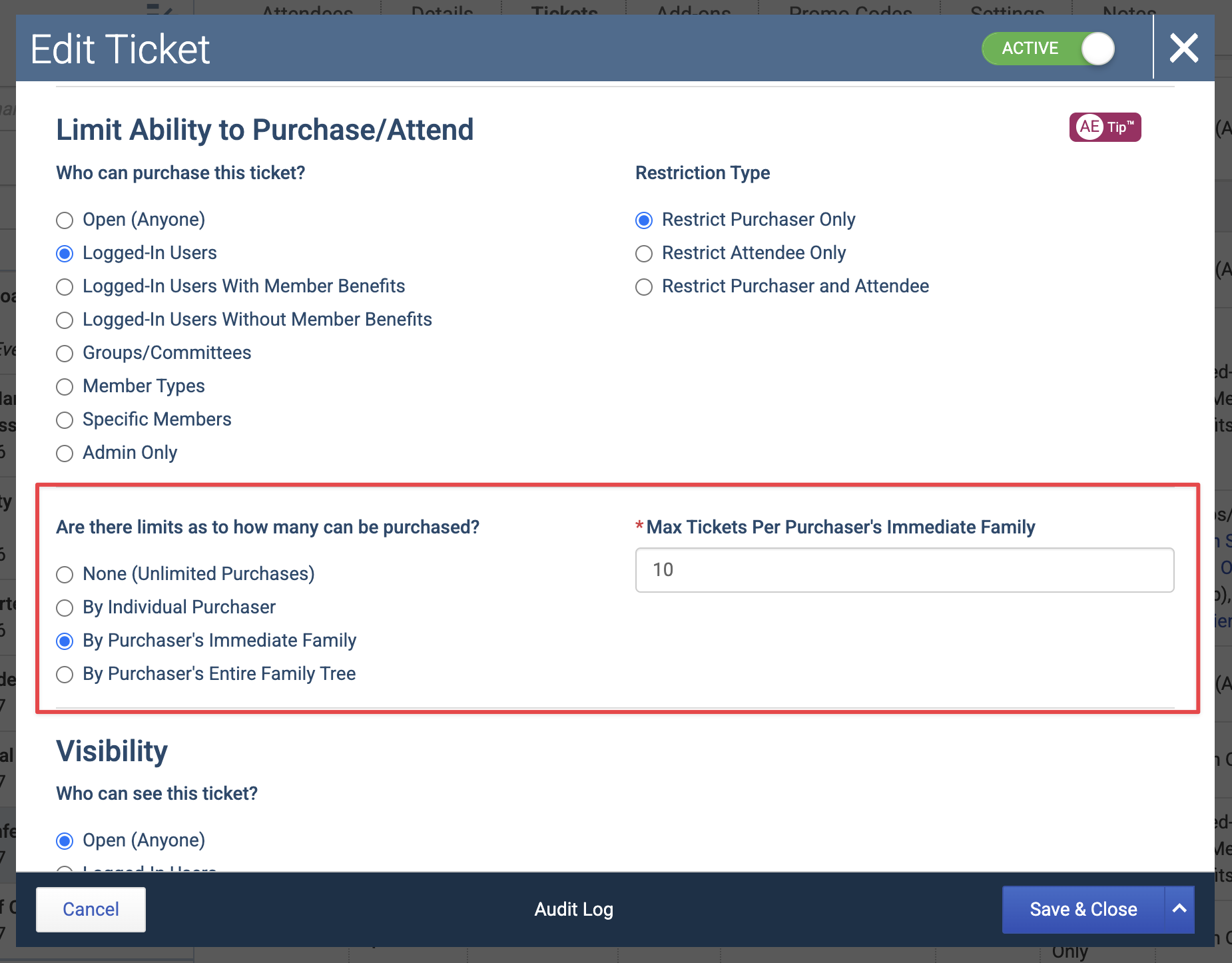
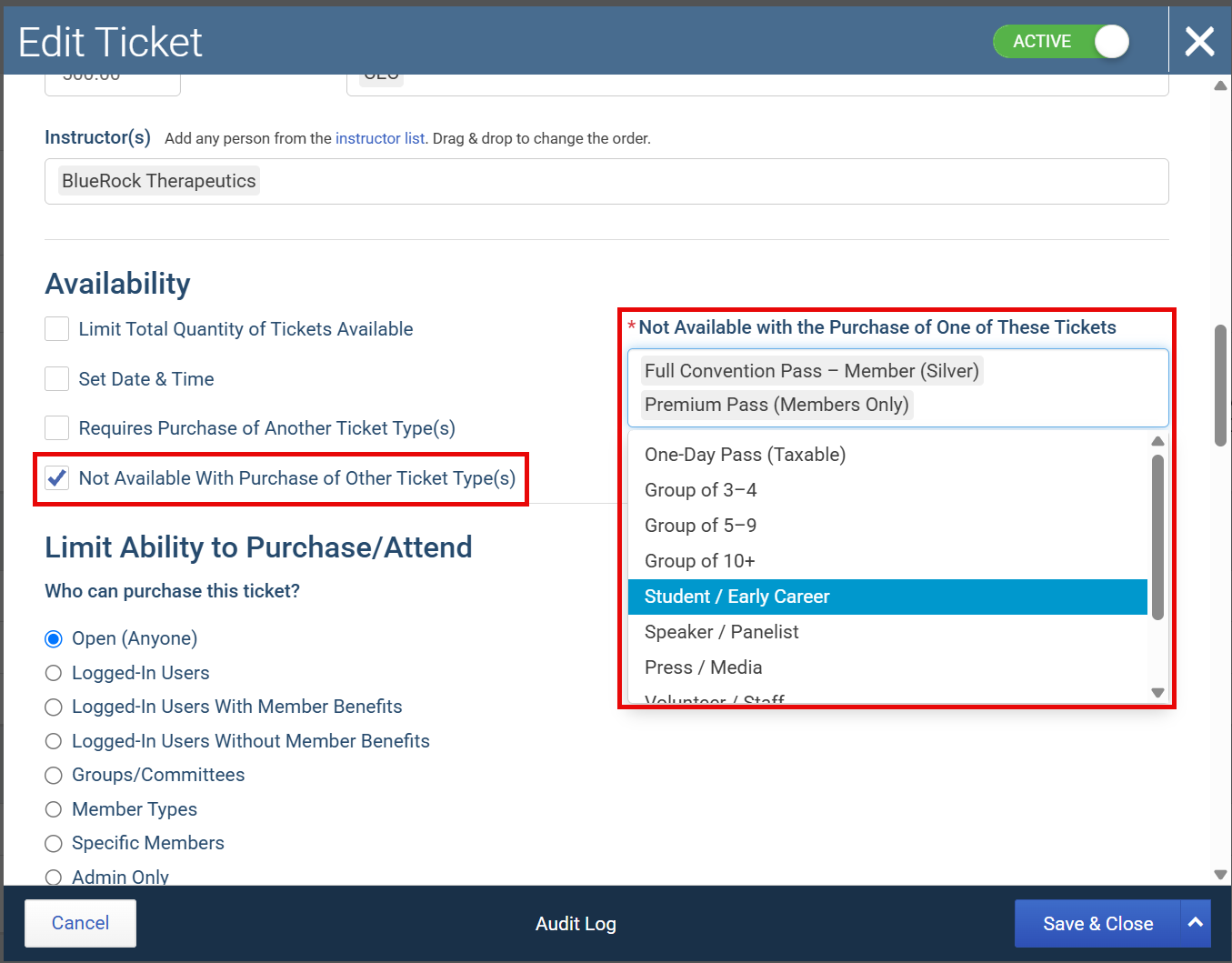
We’ve also added support for ticket combinations that cannot be purchased together. For example, if an attendee purchases a “Full Conference” ticket, you can prevent them from also selecting a single day ticket for the same attendee. Novi will guide registrants during checkout so they understand why another ticket option is not available.
→ Learn more: 📄 Require or Prevent Event Tickets from Being Purchased Together
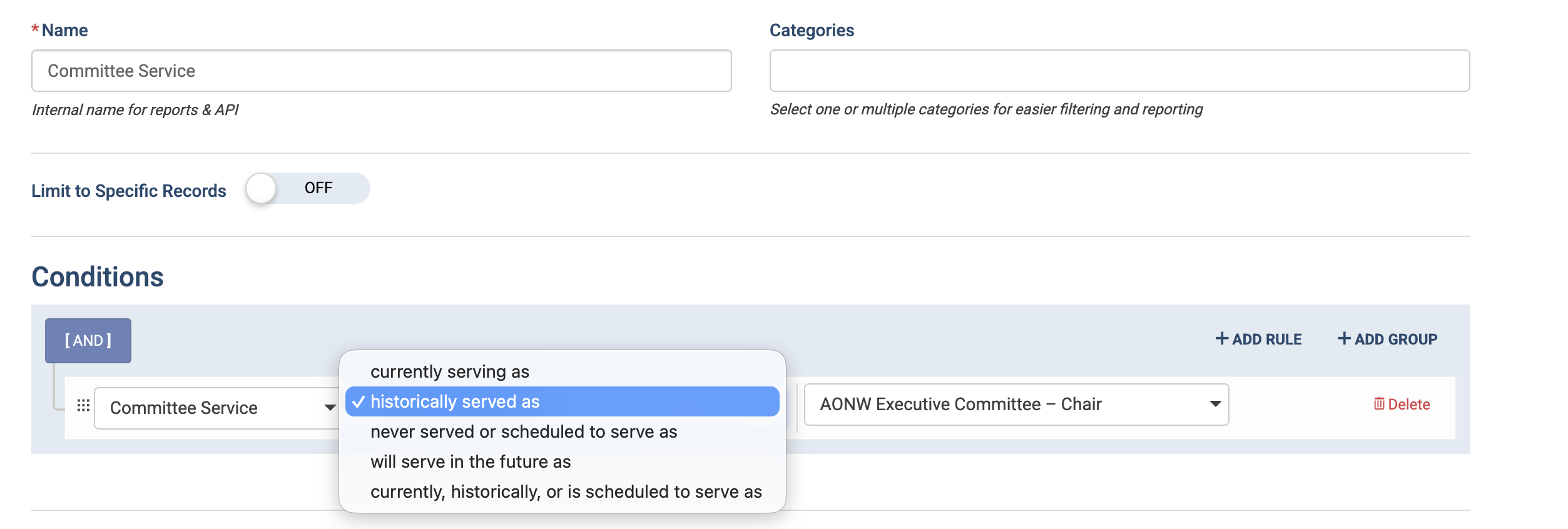
🧭 Clearer Committee Service Conditions for Groups
Group conditions for committee participation are now more precise.
The former Committee Role condition has been updated to Committee Service, with clearer options that distinguish between current, historical, future, and never-served committee roles. This makes it much easier to build accurate groups when you only want to include people who are currently serving in a specific committee role, instead of accidentally pulling in historical service.
This is especially useful for reporting, integrations, and targeted communication where committee role accuracy matters.
→ Learn more: 📄 Create Groups Based on Committee Service
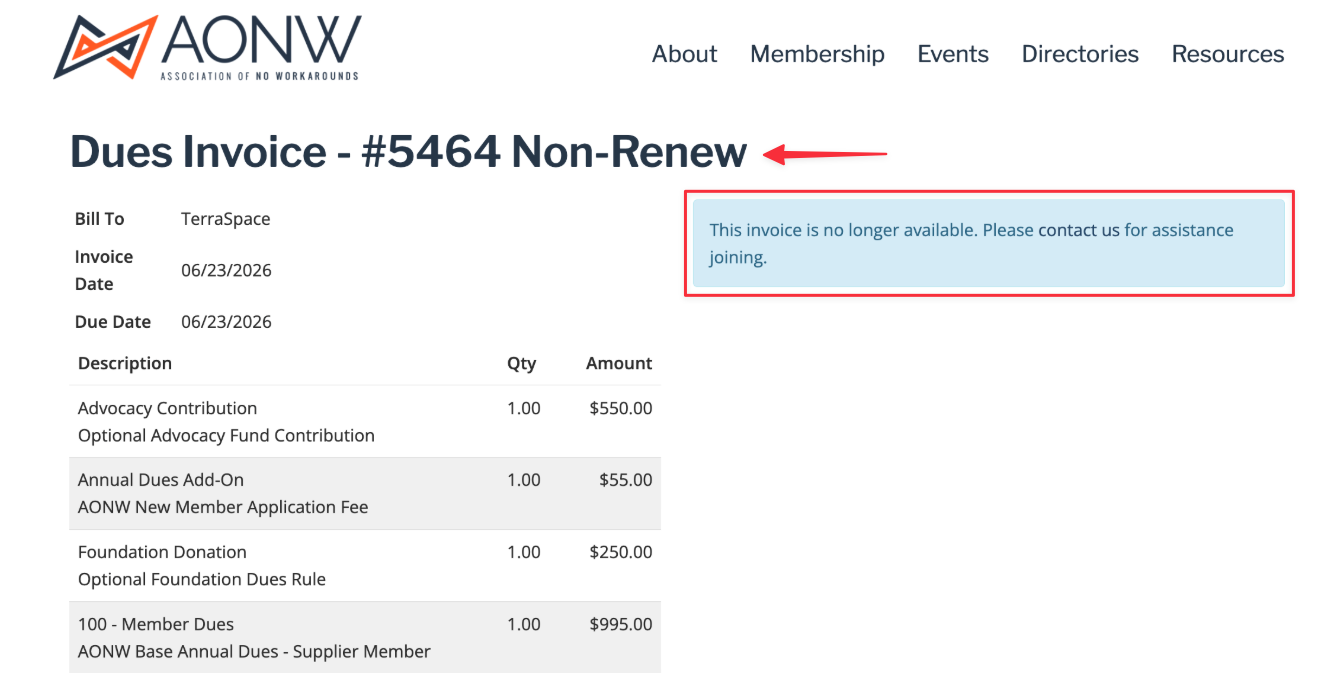
🧾 Clearer Non-Renewed Member Communication
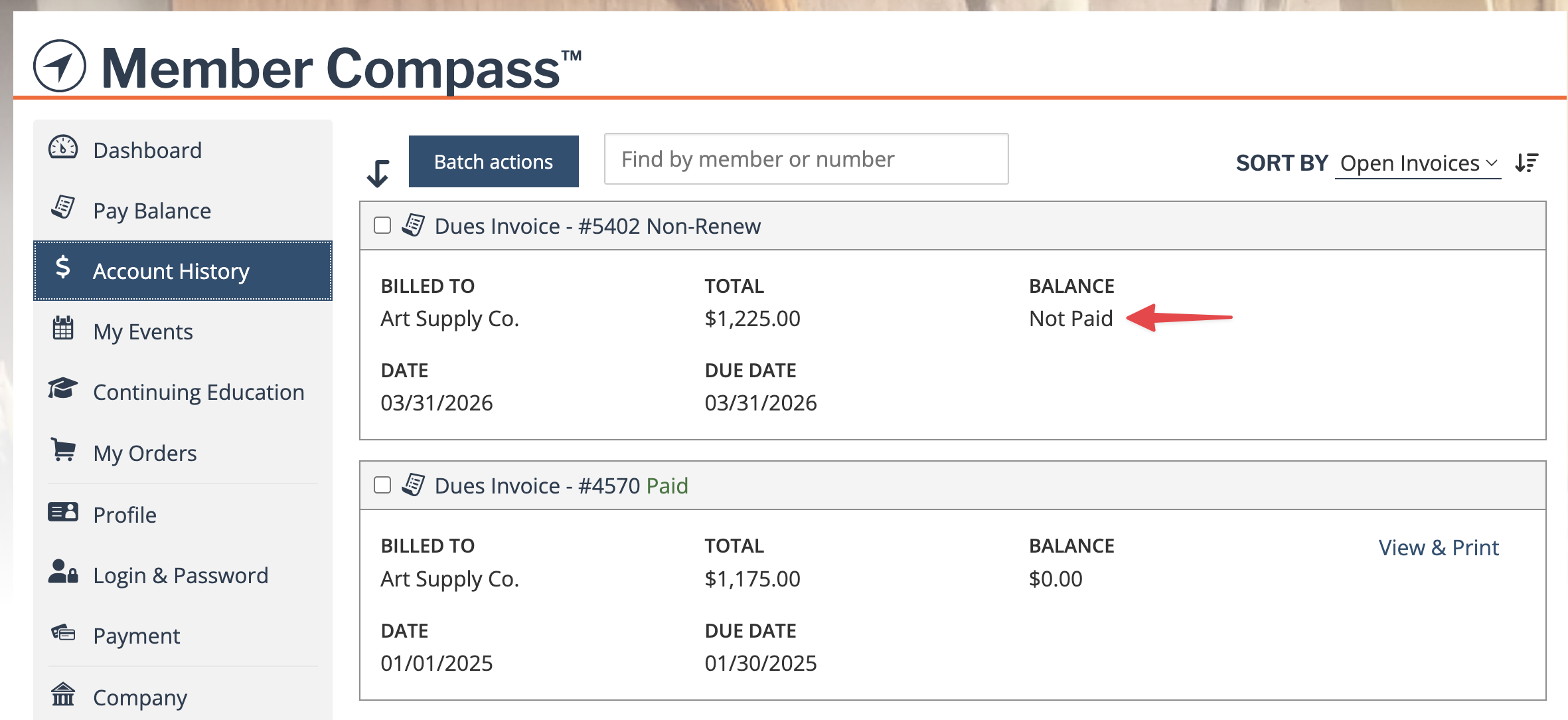
When a member clicks a smart renewal invoice link after their dues invoice has been non-renewed, Novi makes it clearer that the invoice has been cleared due to non-renewal. Novi continues to treat that invoice as unavailable, labeling it clearly as Non-Renew on the invoice itself and within the Member Compass, hiding misleading payment/credit details from the member-facing experience (but retains this on the backend so admin can see the accounting trail), and points the member toward the right next step to renew, join, or contact the association.
For admins, the accounting record remains intact in the backend, but the member-facing experience is cleaned up so members are less likely to interpret a credit memo or $0 balance as “my membership is active and paid.”
♾ Lifetime Memberships
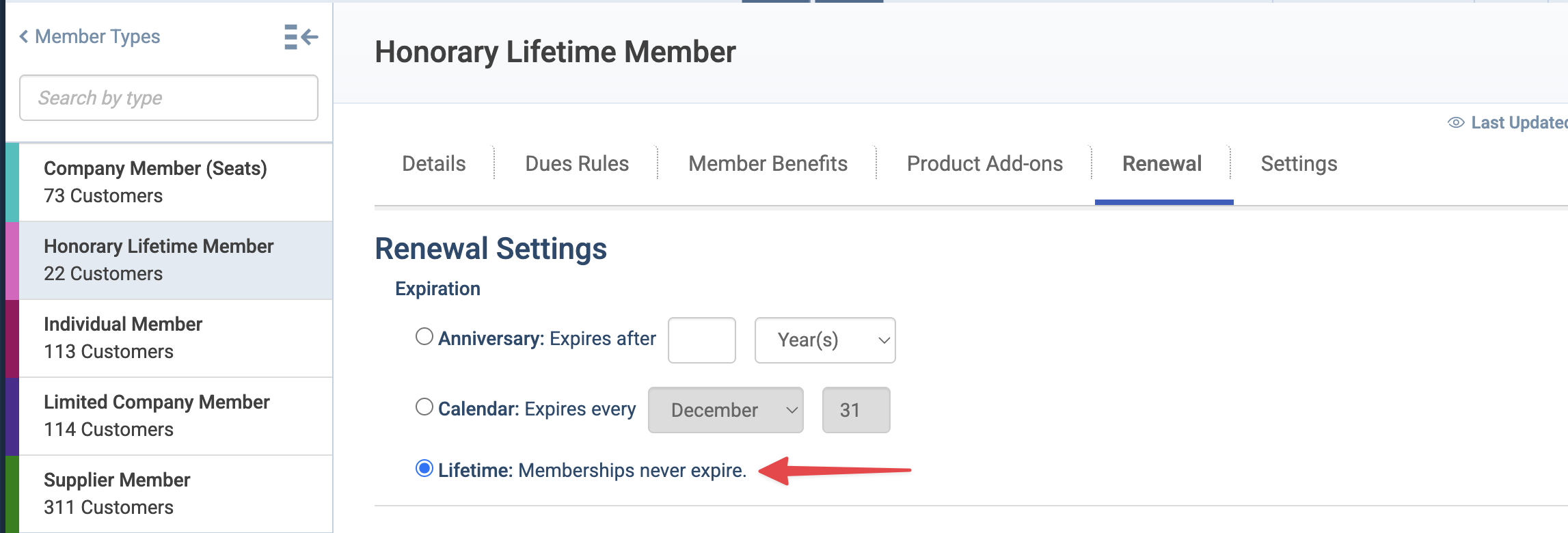
Novi now supports Lifetime Memberships as a dedicated membership expiration option. Admins can configure a member type so memberships do not expire, helping keep lifetime member records accurate without using placeholder expiration dates far in the future.
Lifetime members will no longer see an expiration date in Member Compass, and Novi will keep them out of all renewal workflows, as they no longer apply to them. Admins can also manage lifetime status directly from the member record, including removing lifetime benefits and setting a past expiration date when needed.
→Learn more: 📄 Lifetime Memberships
🔁 Refund Receipts Now Stay Connected to the Original Event or Product
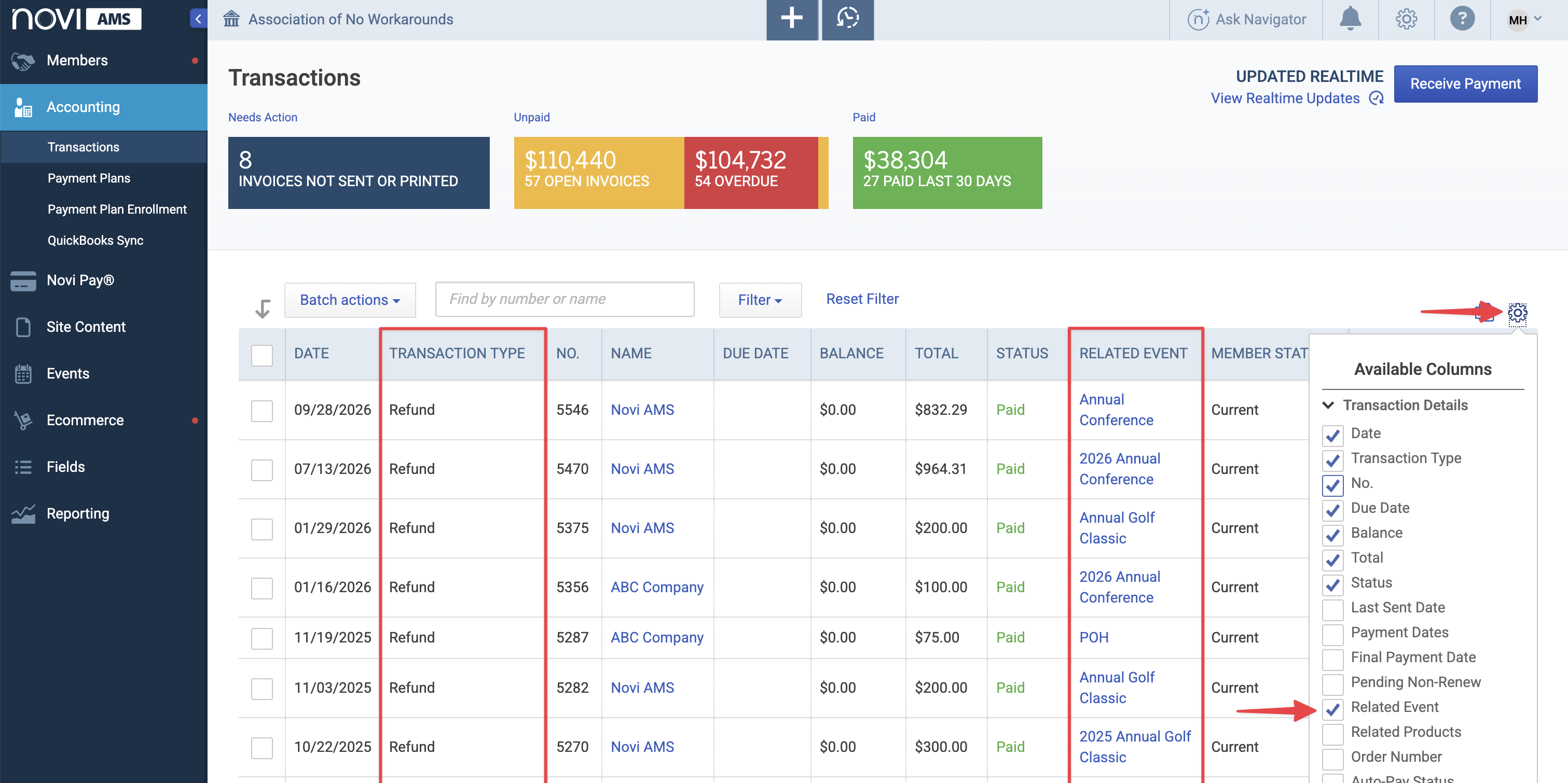
Refund receipts created from event or ecommerce cancellations are now associated with the same event or product as the original invoice.
That means when you’re reviewing transactions connected to a specific event or product, the related refund receipt is easier to find alongside the original purchase. This gives admins and bookkeepers a more complete transaction picture without extra searching.
⚡ Faster Customer Record Updates
We’ve continued to improve performance behind the scenes so customer records save and update more quickly, especially for sites with larger datasets.
This work helps admins move through record updates more efficiently and reduces the time spent waiting after saving changes.
💻 More Responsive Admin Pages on Mobile
We’ve continued improving Novi’s responsive admin experience across smaller screens like smartphones and tablets.
This round of updates focused on modal layouts, navigation behavior, button alignment, list views, payment and invoice screens, member type settings, event registration, content pages, and other admin areas that needed a better experience on narrower screens.
💾 Save Website Content Regions More Easily
When updating website content, admins no longer need to remember to save each content region individually (although you still can).
A Save Regions option is now available in the admin toolbar allowing you to save changes across all content regions on the page at once. Changes are saved more clearly, reducing the chance of making edits and accidentally leaving them behind.
→ Learn more: 📄 Formatting Website Content on the Frontend

Other New & Noteworthy Updates ✏
💰 Accounting & Payments
Save & Send for custom invoices and sales receipts: Custom invoice and custom sales receipt modals now include a Save & Send action, so admins can save the transaction and move directly into the send flow.
→ Learn more: 📄 Custom Invoices and Sales Receipts in Novi
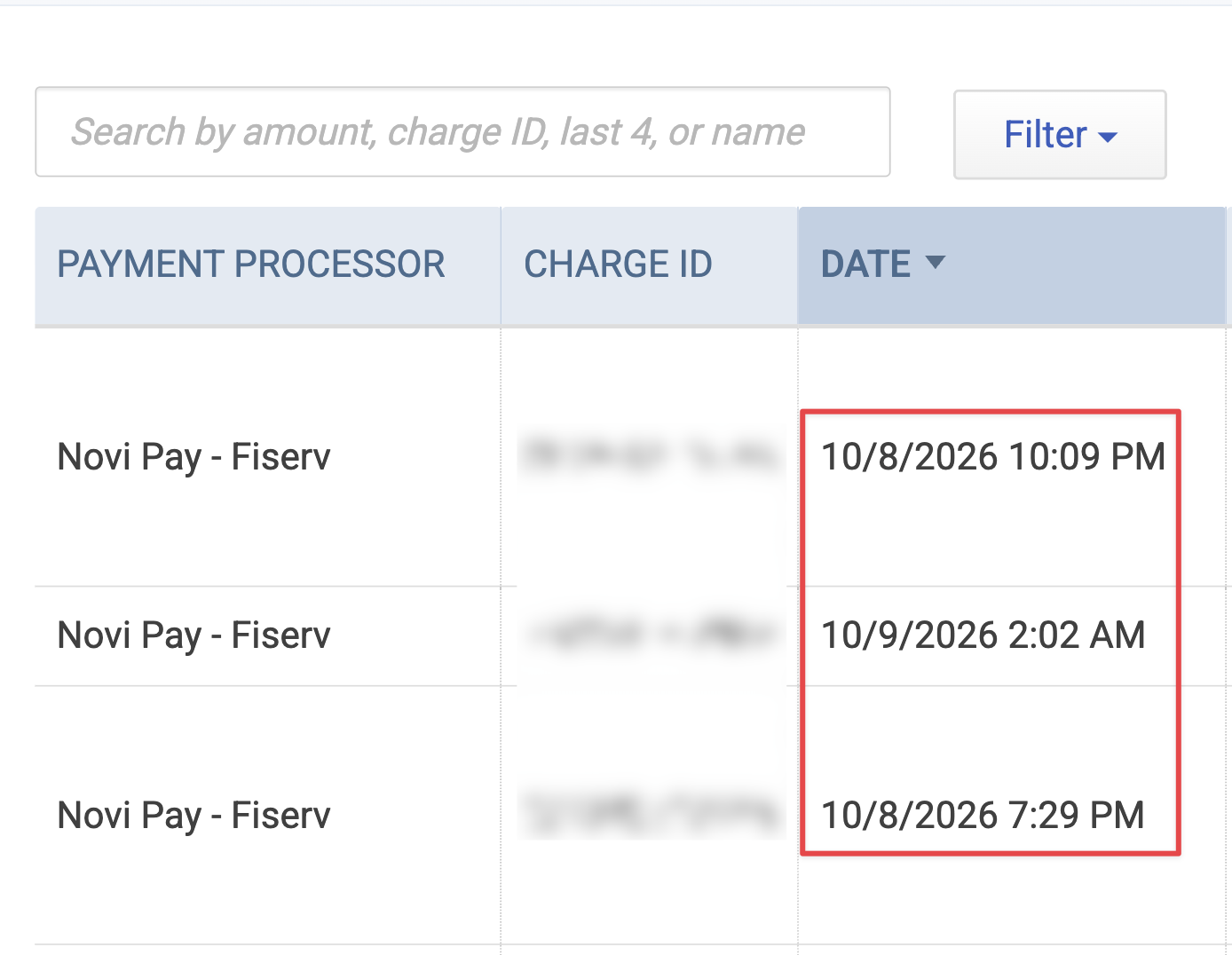
Novi Pay transaction timestamps: Novi Pay transactions now include the time, not just the date, making it easier to troubleshoot payments and match activity.
Monthly ACH fees in Novi Pay Balances: Monthly ACH expense transactions for Novi Pay are now reflected in the Novi Pay Balances tab, helping bookkeepers identify these transactions more easily.

Search Novi Pay balances by amount: The Novi Pay Balances tab search now supports amount-based searches, including gross, net, and fee amounts. This makes reconciliation against QuickBooks faster. → Learn more: 📄 Novi Pay: Balances
📋 Membership & Record Management
Country can be required on required address fields: When an address is required and country is visible, country is now required too. This helps organizations that need complete address data for integrations.
→ Learn more:
New Membership Custom Reports start with active records: New Membership Custom Reports now include an "Active (Not Deleted)" condition by default, helping admins avoid unintentionally building reports around inactive or deleted records. → Learn more: 📄 Creating Custom Reports
🎟 Events
Smoother event checkouts: We’ve improved event checkout performance to reduce timeout risk and make registrations more reliable for attendees.
🛒 Ecommerce & Activity Timeline
Purchased products shown on the Activity Timeline: Order activity entries now include the products purchased, including quantities, so admins can quickly see what an order was for without opening additional details.
→ Learn more:
🔌 API & Developer Updates
→ Learn more: Developer Documentation
Subscription webhooks and filters: API partners now have subscription.created and subscription.updated webhook events, along with better filtering for subscription sync workflows.
Order update webhooks and improved order sync: API partners can now react to order changes with an order.updated webhook and use richer filters for order and product purchase syncing.
Related subscriptions and orders in API responses: Subscription, order, and product purchase API responses now include related unique IDs where applicable, making it easier for integrations to connect related records.
Last modified support for products: Product API responses now include last-modified information and support filtering by modified date for more efficient incremental syncs.
Static page last modified filtering: Static Pages API calls can now be filtered by last modified date, reducing the need for full-feed syncs.
Event API last modified values: Event API results now include the last modified date value.
Article API sorting by last modified date: API partners can now retrieve articles ordered by last modified date, supporting more efficient content sync workflows.
Static page visibility data: Static Page API responses now include visibility information, including whether a page is public, member-only, or restricted to specific groups or committees.
Order unique ID on product purchases: Product Purchases API responses now include the related order unique ID, reducing the number of calls needed for integrations that validate purchases.
🤔 Have questions about any of these updates?
Our support team is here to help!
Send us a message in the blue bubble or email us at help@noviams.com.