Smart Renewal Notices vs. QuickBooks Invoice Only: What You Need To Know
Last updated: October 12, 2026
When you send a membership renewal from Novi, you can choose between two options: a Smart Renewal Notice or a QuickBooks Invoice Only. Both deliver the invoice to your member, but they differ in what the member can do with it, such as paying online without logging in or opting in to auto-pay.
Note: If you are using Novi Pay, you won't see the option to send a QuickBooks Invoice anymore! If you need to use QuickBooks Payments for any reason, you can send the invoice from the QuickBooks Online side.
The comparison below shows what each option supports to help you choose the best fit for your renewals.
Smart Renewal Notices vs. QuickBooks Invoice Only
Smart Renewal Notices | QuickBooks Invoice Only | |
Opt-in/Manage Auto-pay | YES | |
Pay by ACH | YES | YES |
Measure Deliverability | YES | YES |
Direct Link to Pay Online | YES | |
Customize Email Notice | YES | |
Attach a PDF Invoice | YES | YES |
Last Sent Date | YES | YES |
Remove Optional Dues | YES |
Opt-in/Manage Auto-pay
*Smart Renewal Notice Only
Auto-pay is the member-elected process that allows their stored credit card to automatically be charged as a payment toward the dues invoice generated during auto-renewal. This automates the payment for the member, and saves you time by not having to worry about collecting money on open invoices!
→ Learn More: 📄 Auto-Pay For Membership Renewals
Note: The member must log in in order to store their payment method. Login is not required with Smart Invoices.
Measure Deliverability
Smart Renewal deliverability can be measured using Novi's Transactional Email Log.
→ Learn More: 📄 Transactional Email Log
QuickBooks has some email open & delivery tracking capabilities available inside its platform.
Direct Link to Pay Online
*Smart Renewal Notice Only
Both the Smart Renewal Notice and QuickBooks Invoice will attach a PDF copy of the invoice. However, only the Smart Renewal Invoice email will include a direct link to pay that does not require the member to log in to your site!

You can also send your member a direct link to pay by copying the link from the email pop-up and sharing it with them. It will take them straight to the payment page.
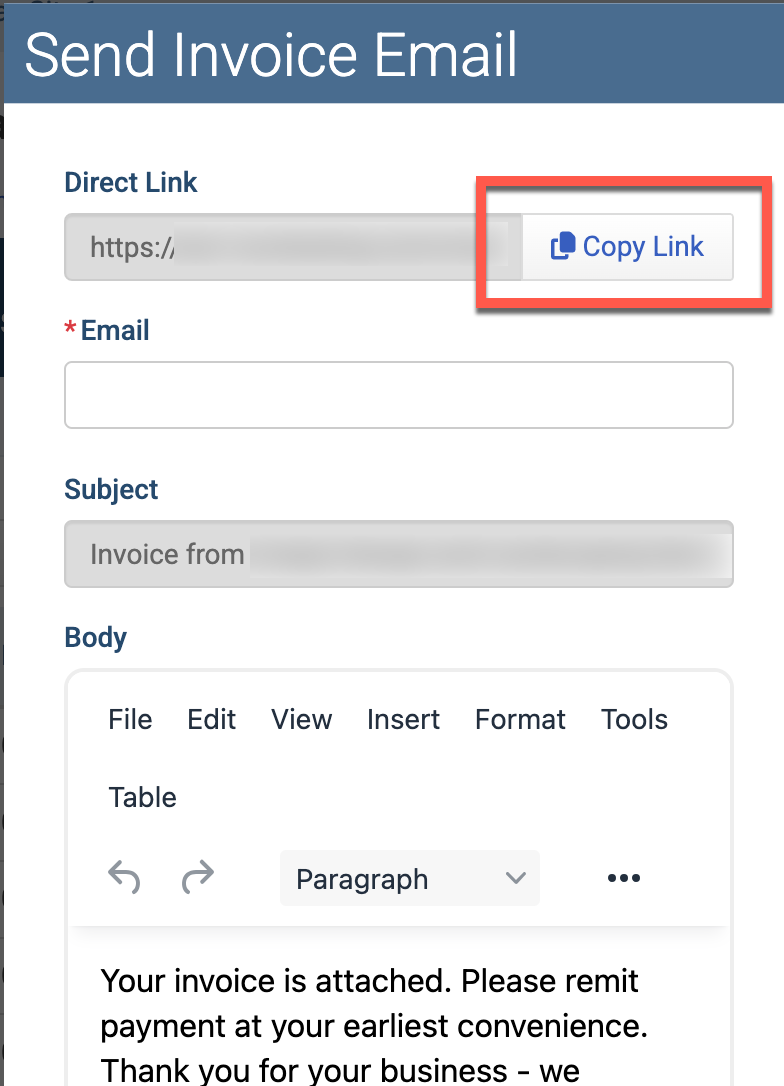
If a member clicks the direct payment link after an invoice has already been non-renewed or voided, they will no longer be able to submit payment. Instead, they will see a message informing them the invoice is not available.
→ Learn More: 📄 Getting Started with Smart Invoices
Customize Email Notices
*Smart Renewal Notice Only
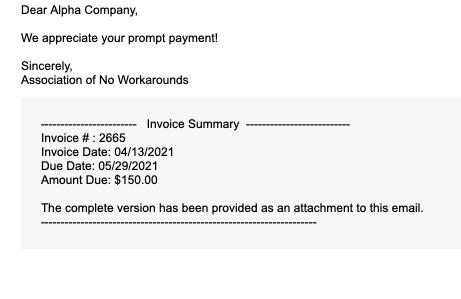
Smart Renewal Notices offer lots of customization, while QuickBooks sends a very standard email.
Smart Renewal Notice

QuickBooks Invoice
Tip: Ensure replies to any Smart Invoice emails go to the right person on your team by customizing the "from" and "reply to" email address.
→ Learn More: 📄 Association Settings: Transactional Emails