Tips for Collecting On & Handling Open Dues Invoices
Last updated: September 18, 2026
When dues invoices are automatically created, they will be displayed on the Transactions page. Here are a few features that will help you to see and act on your open dues invoices.
→ Learn More: 📄 Membership Auto-Renewals
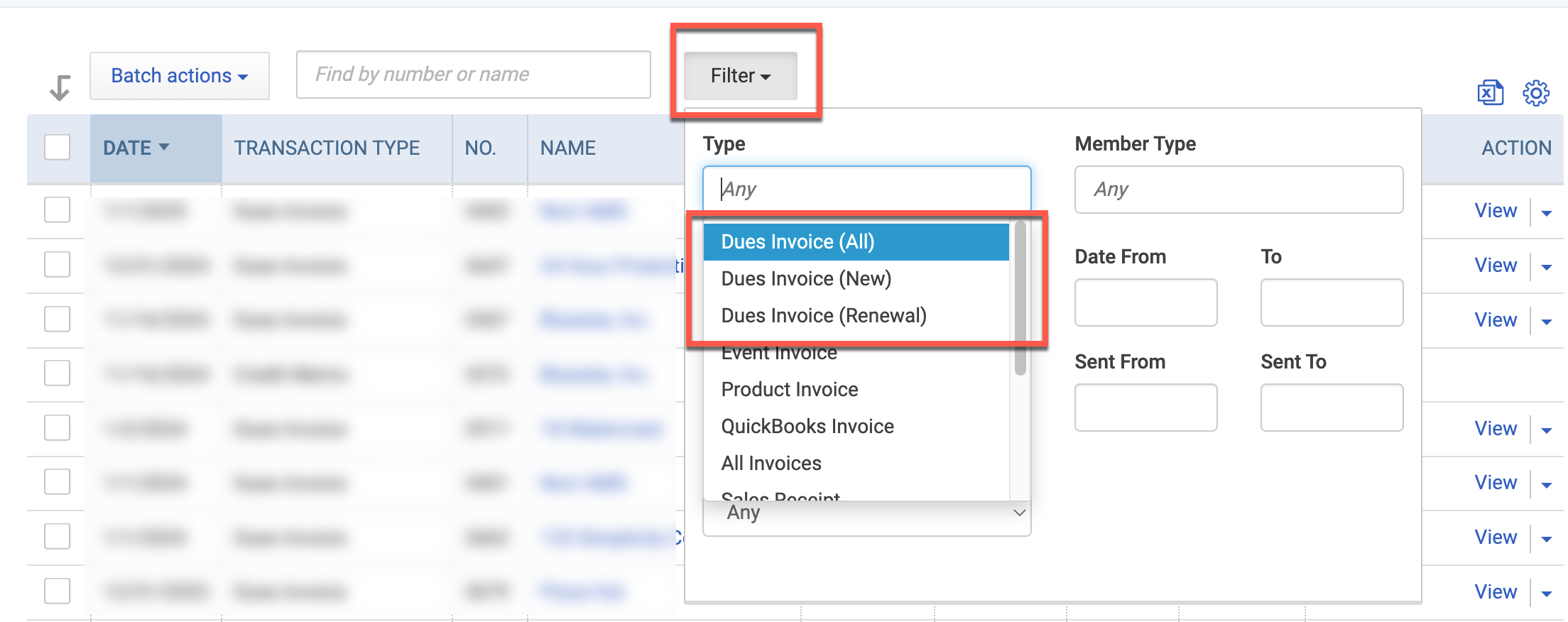
Use the Filter to isolate open dues invoices
Type = Dues Invoice (specify All, New, or Renewal)
Transaction Status = Open

Click the gear icon to add more display columns, such as email address & member type.

Download to CSV to organize and print the data offline
Choose from All Fields or Visible Fields Only:

AE Tip™: Some of our association partners will download their open dues invoices to CSV to create lead lists for their membership committee to work with. Sometimes, all it takes to encourage a member to renew is a call from a peer or client.