What's New at Novi: November 2026
Last updated: November 11, 2026
Novi AMS regularly releases new enhancements. Check out what’s new!
Approximately 7 min to read
📣 Novi Happenings 📣
🌴 Novi Summit 2027 Is Almost Sold Out!
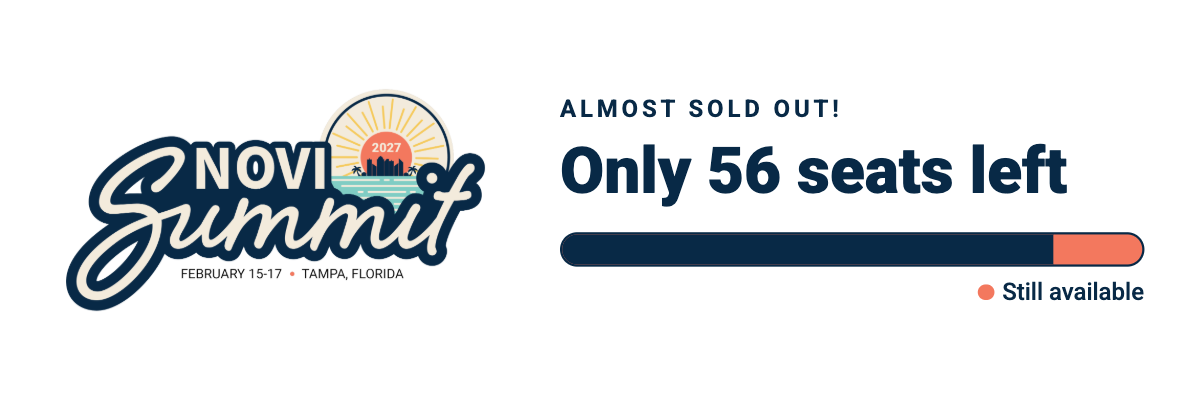
The countdown is on! Novi Summit 2027 is filling up fast, with fewer than 60 tickets remaining and workshops nearly sold out.
Join Team Novi and fellow association professionals for hands-on learning, fresh ideas, and opportunities to connect with the Novi community. We'd love to see you there!
Don't wait to secure your spot!
Register for Novi Summit 2027 →
⭐ Share Your Novi Experience on G2
Got a minute? We’d love your feedback on G2.
Every update in these notes started with something a customer told us. If Novi has made your work easier, would you share that on G2? Already left us a review? You can update it to reflect where things stand today. Haven’t yet? We’d be grateful for a new one.
Already left a review? You can update it to reflect your experience today.
Haven't reviewed us yet? We'd be grateful if you took a moment to share your thoughts.
💬 Office Hours: Bring Your Questions!
Have a question about Novi or need help working through a particular process? Join us for Office Hours!
We're offer two regular Office Hours sessions each week, along with dedicated Renewal Season Office Hours throughout Q4.
Office Hours are a great opportunity to ask questions, explore best practices, and get guidance directly from the Novi team.
🔄 Membership Renewals & Drops Training
November 19, 2026
Renewal season is here! Join the Novi team for a training session focused on managing membership renewals and drops.
We'll walk through key settings, timelines, and best practices for handling renewals, drops, and member communication. Whether you're preparing for your upcoming renewal cycle or looking to refine your existing process, this session will help you feel more confident heading into the season.
We'll also leave time for your questions!
Register for Renewals & Drops Training →
💡 Novi Roundtable: Generating Non-Dues Revenue
November 30, 2026
Looking for new ways to generate revenue beyond membership dues?
Join fellow Novi customers for a collaborative roundtable focused on ideas, strategies, and opportunities for non-dues revenue.
Come ready to share! Our roundtables are all about learning from one another. Bring your questions, share what's worked for your association, and leave with fresh ideas you can put into practice.
Join the Non-Dues Revenue Roundtable →
🚗 Novi Road Show: Grand Rapids
December 2, 2026
The Novi Road Show is making its way to Grand Rapids!
Whether you're new to Novi, recently changed roles, or just want a refresher, this in-person training is a great opportunity to build your confidence and get more out of the platform.
We'll cover the fundamentals of membership management, events, groups, directories, reporting, and more, with plenty of opportunities to ask questions along the way.
Register for the Grand Rapids Road Show →
🌟 In the Spotlight 🌟
📋 Build Custom Membership Reports Faster with Smarter Defaults
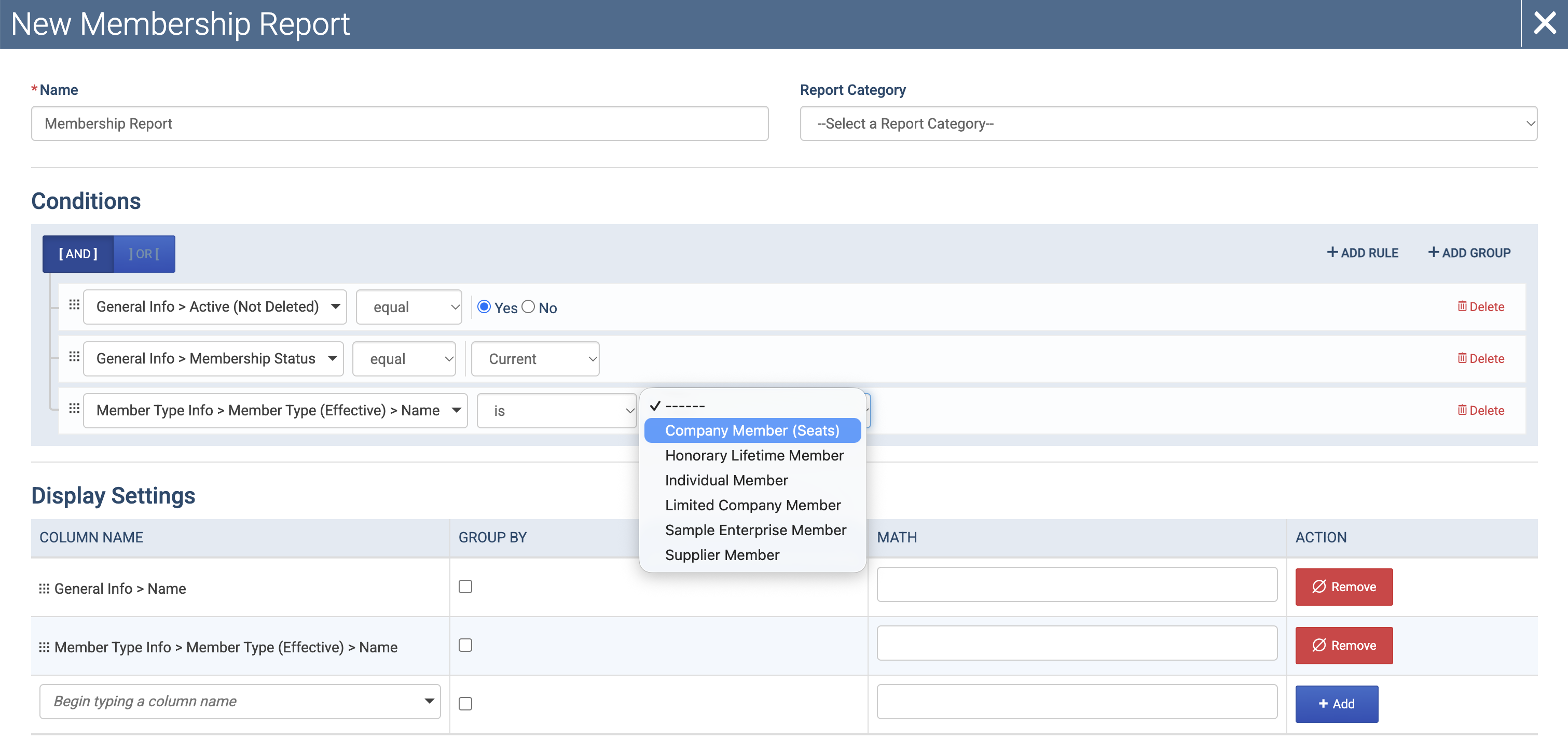
Creating Custom Membership Reports just got easier, with helpful starting conditions, new member type dropdowns, and a more intuitive field order.
Here's what's new:
Smarter starting conditions: New Custom Membership Reports now include commonly used conditions by default, helping you get started without building everything from scratch:
Active in QuickBooks Online = Yes
Membership Status = Current
Member Type (Effective) > Name = Is Not Null
Name and Member Type are also included as default display columns.
You can keep, adjust, or remove any of these defaults. Existing reports won't change.
Member type dropdowns: When filtering by Member Type > Name, you can now use Is and Is Not conditions to select specific member types from a dropdown instead of manually entering their names.
Easier access to member type fields: Member Type Info now appears before Parent Info in both the conditions and display column lists, making it easier to find the fields you need.
These changes make it faster to build accurate membership reports, whether you're reviewing your membership data, preparing for renewals, or pulling information for your team.
→ Learn More: 📄 Creating Custom Reports → 2. Set Your Conditions
Tip: Need a quick answer from your data? You may not need to build a report at all! Try📄 Novi Navigatoror use 📄 Novi Connect (MCP)to help find, export, or analyze the information you need.
⚡ A Faster Member Compass for Your Members
We've made improvements behind the scenes to help Member Compass load faster.
Your members can now check their membership status, pay outstanding balances, and manage event registrations with less waiting.
Nothing changes about how Member Compass looks or works. It simply loads faster, so members can spend less time waiting and more time getting things done.
👥 See Seat Type Counts at a Glance
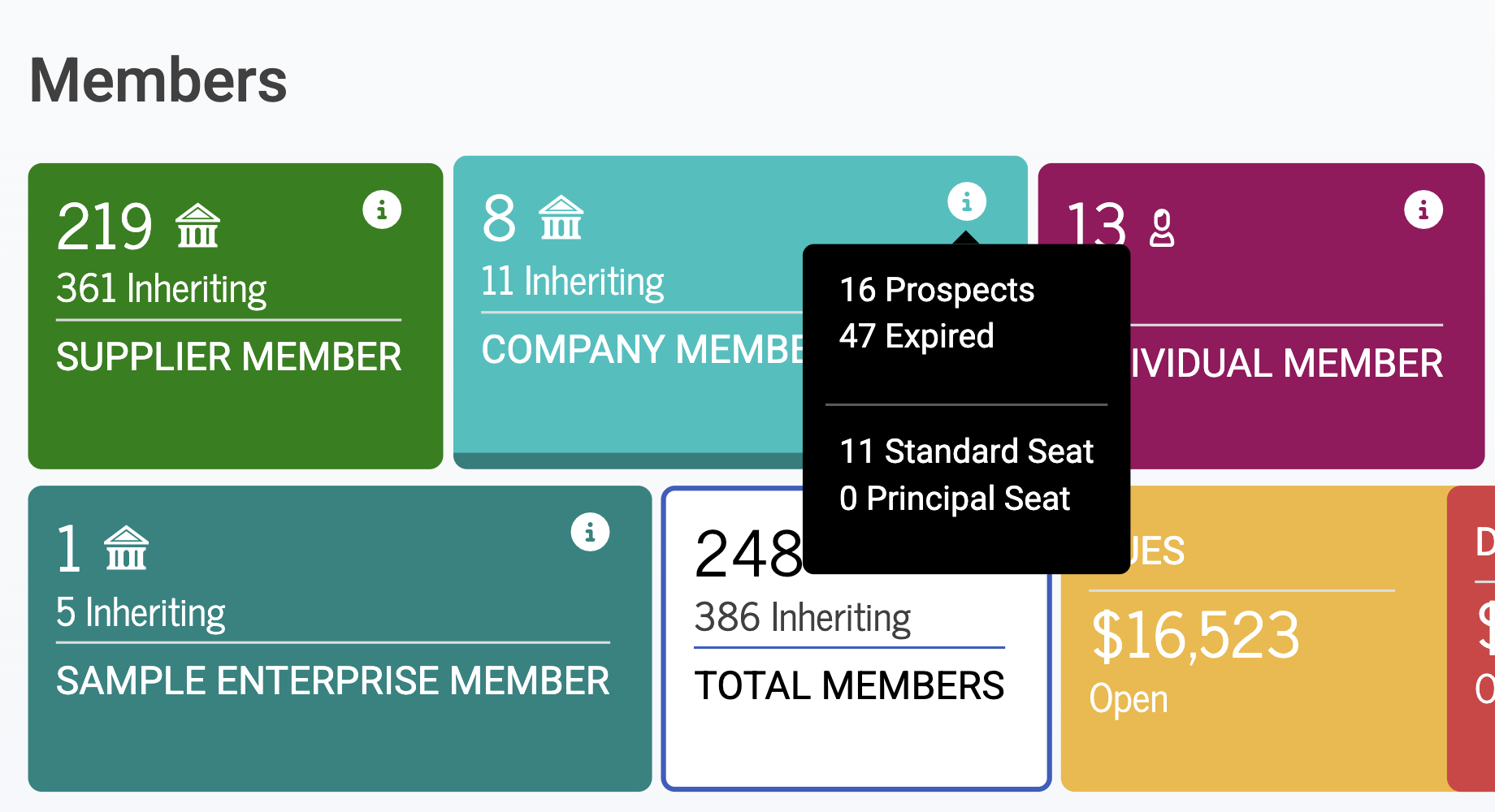
If you use seat-based member types, you can now check seat counts without running a report!
Simply hover over the info icon next to a seat-based member type in the member stage to see a breakdown of each seat type and the number of individuals inheriting membership through it.
This makes it easy to check seat counts when preparing for a board meeting, planning renewals, or reviewing your membership data.
→ Learn More: 📄 Members List → Members List Stage Numbers
Other New & Noteworthy Updates ✏
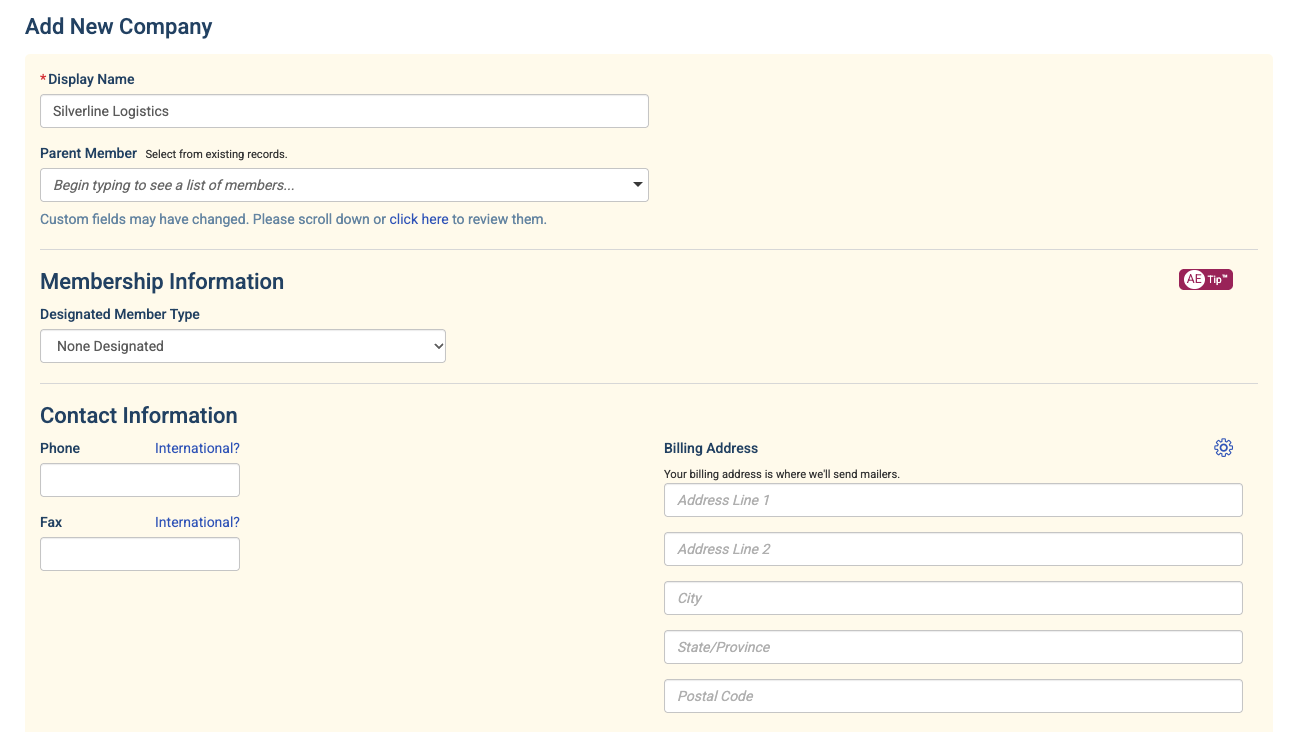
🏢 Create a New Company Without Leaving an Individual's Record
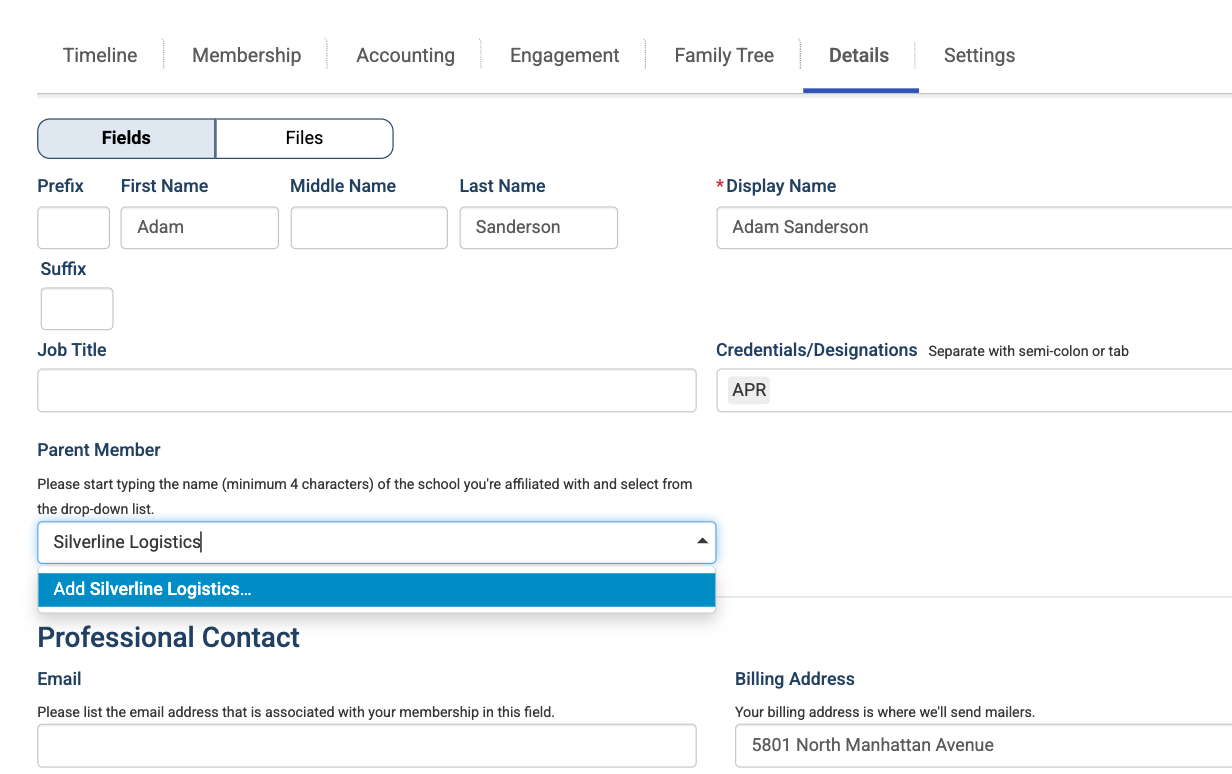
Need to update someone's company because they've changed jobs? You can now create a new company directly from an individual's record when updating their Parent Member.
Previously, this option was available when adding a new person to your database. Now you can use it when editing an existing record, too!
→ Learn More: 📄 Create a New Company or Person → Add a New Company as an Individual's Parent Member
🧾 Smart Invoices Now Show as Sent in QuickBooks Online
When Novi sends a Smart Invoice, the corresponding invoice in QuickBooks Online is now automatically marked as sent.
This keeps the invoice status consistent between Novi and QBO without triggering a duplicate email from QuickBooks.
And if QuickBooks Online can't update the status for any reason, your Smart Invoice will still send as expected.
→ Learn More: 📄 Sending Transactions from Novi AMS & QuickBooks
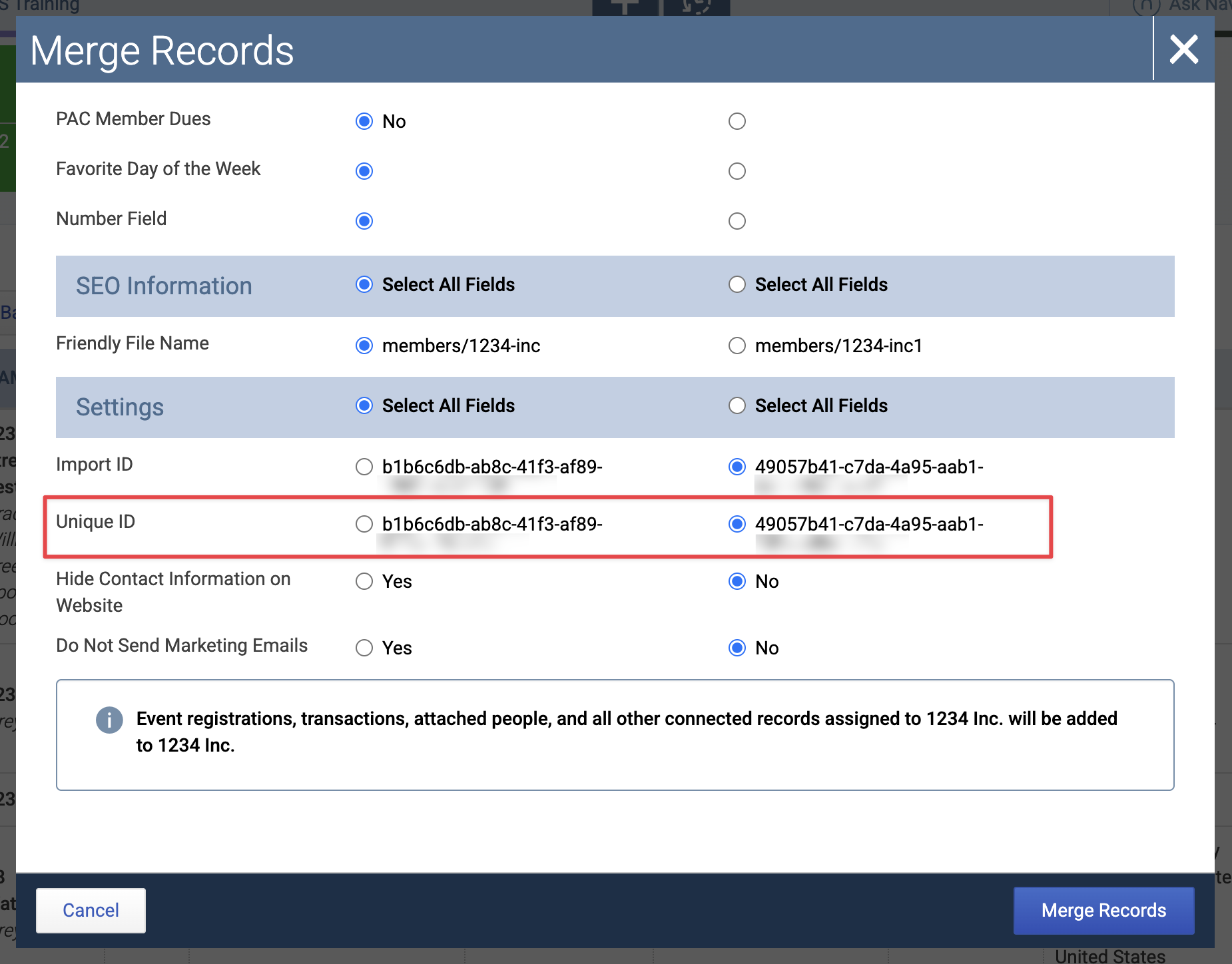
🔁 See Unique IDs Before Merging Records
The customer merge window now displays each record's Unique ID alongside its Import ID. This makes it easier to confirm which Unique ID will be retained before completing a merge, especially if your association uses integrations that rely on Unique IDs to keep records in sync.
→ Learn More: 📄 Merge Duplicate Records in Novi AMS
🔐 Clearer Password Reset Messages for Members
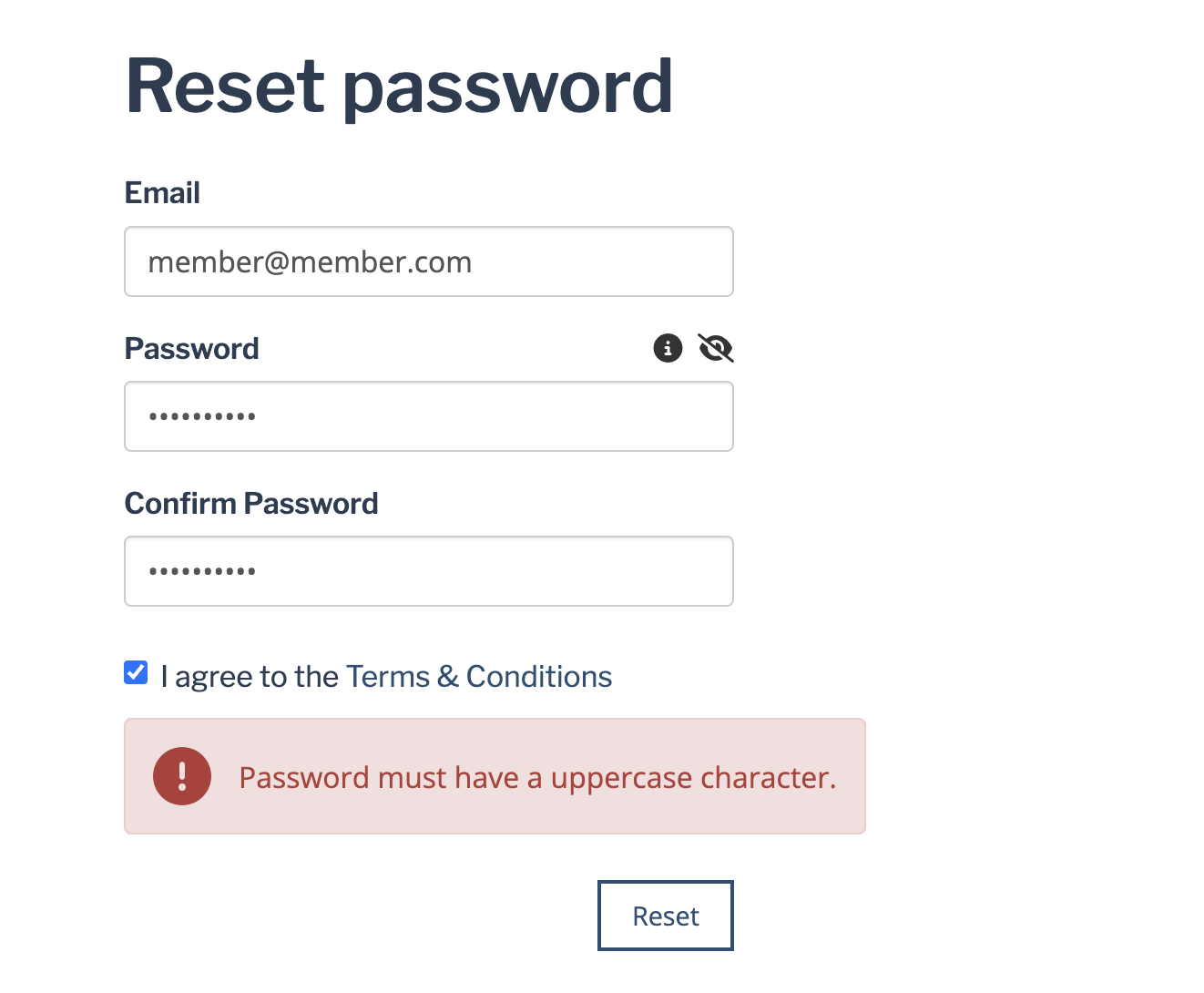
We've made password reset messages easier for members to understand.
If a new password doesn't meet the requirements, the reason now appears in red directly above the Reset button, making it easier to spot and correct.
We've also updated the message shown when a password has appeared in a known data breach, so members know they need to choose a different one.
These improvements should help members resolve password issues on their own, with fewer support requests coming your way!
→ Learn more: 📄 Troubleshooting Password & Login Issues
📍 Make It Easier for Event Attendees to Contact You
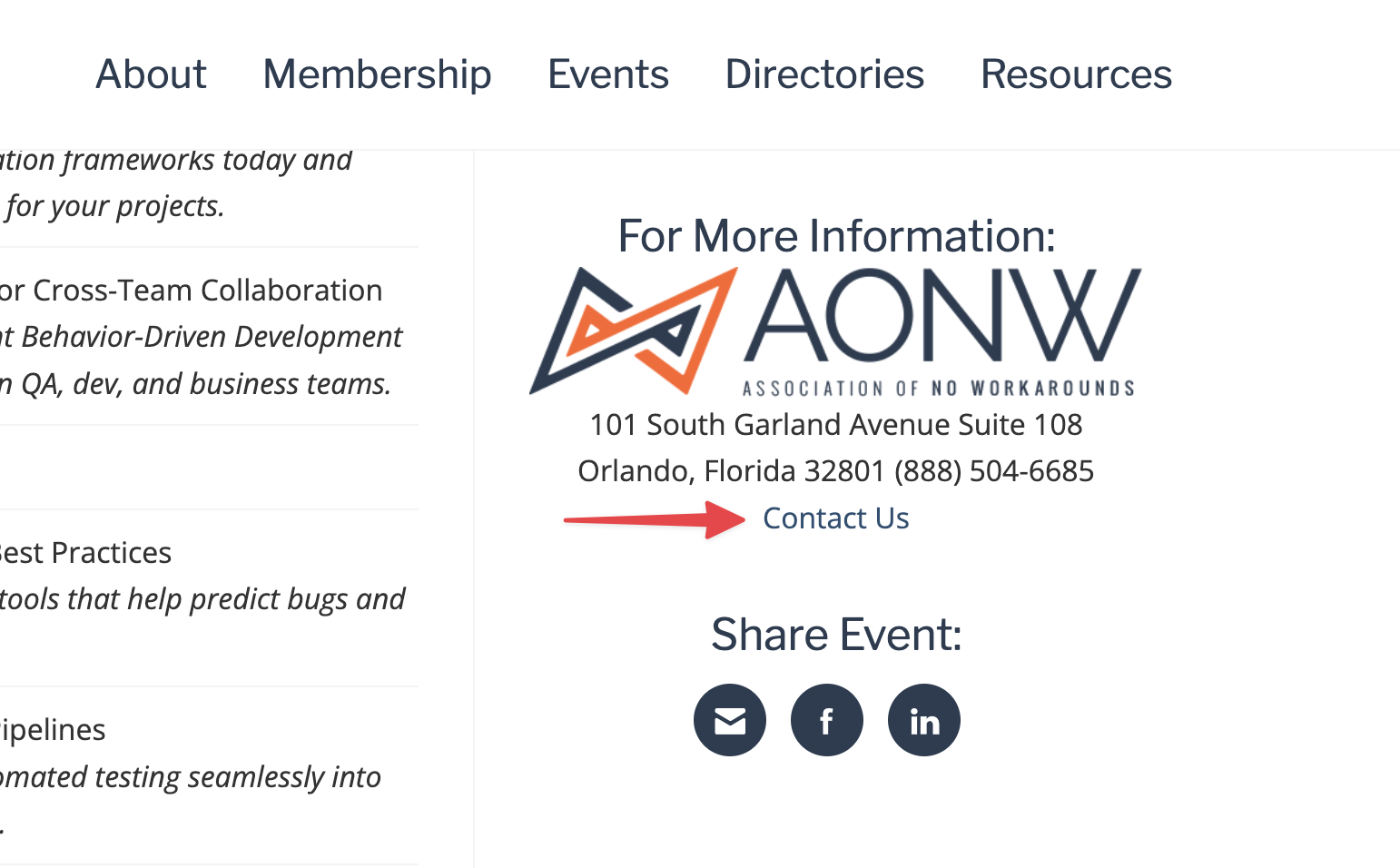
When an event's contact is set to Association Office, the event page now includes a link to your Contact Us page alongside your association's address and phone number.
When an attendee clicks the link, the contact form's subject line is automatically filled in with "Contact Re:" followed by the event name.
This makes it easier for attendees to reach out with questions and helps your team quickly identify which event they're asking about.
→ Learn more: 📄 Create an Event in Novi → Event Details
🔑 Easier Multi-Factor Authentication Logins
Entering multi-factor authentication (MFA) verification codes just got a little easier!
Novi's verification code fields now support autofill from compatible browsers, devices, and password managers.
Whether you're receiving a one-time code by SMS or using an authenticator app, supported tools like Apple iCloud Keychain and 1Password can now detect and suggest your code automatically.
That means less copying, pasting, and typing when logging in or setting up MFA.
→ Learn more: 📄 Multi-Factor Authentication (MFA)
↪ Custom Logout Redirects for SSO Integrations
If your association uses Single Sign-On (SSO) with Novi, your developer can now configure a custom destination for users after they log out.
For example, users could be redirected to your association's main website instead of the default logout destination.
The destination URL must be included in your SSO client's approved redirect URIs. We've updated our developer documentation with the details.
→ Learn more: 📄 Making requests to the Novi OpenID Connect/OAuth2 SSO
🔌 See Integration Types in Your API Keys List
We've added an Integration Type column to the API Keys list, making it easier to identify what each key is used for.
For keys categorized as "Other," you'll also see the integration partner's name.
The new column is included in exports, too, making it easier to review and manage your integrations.
→ Learn more: 📄 How to: Create an API Key
🧭 Cleaner Copying from Novi Navigator
Copying responses from Novi Navigator is now a little cleaner!
The Copy button now copies only the response itself, without extra content, so you can paste it directly into an email, document, or wherever you need it.
→ Learn more: 📄 Novi Navigator
🤔 Have questions about any of these updates?
Our support team is here to help!
Send us a message in the blue bubble or email us at help@noviams.com.