Group Beneficiaries
Last updated: September 16, 2026
Learn more about Group Beneficiaries when setting up a Group in Novi AMS.
When setting up a Group, choose how your group benefits will flow based on the entity's relationship with the primary group member.
Options for Additional Beneficiaries
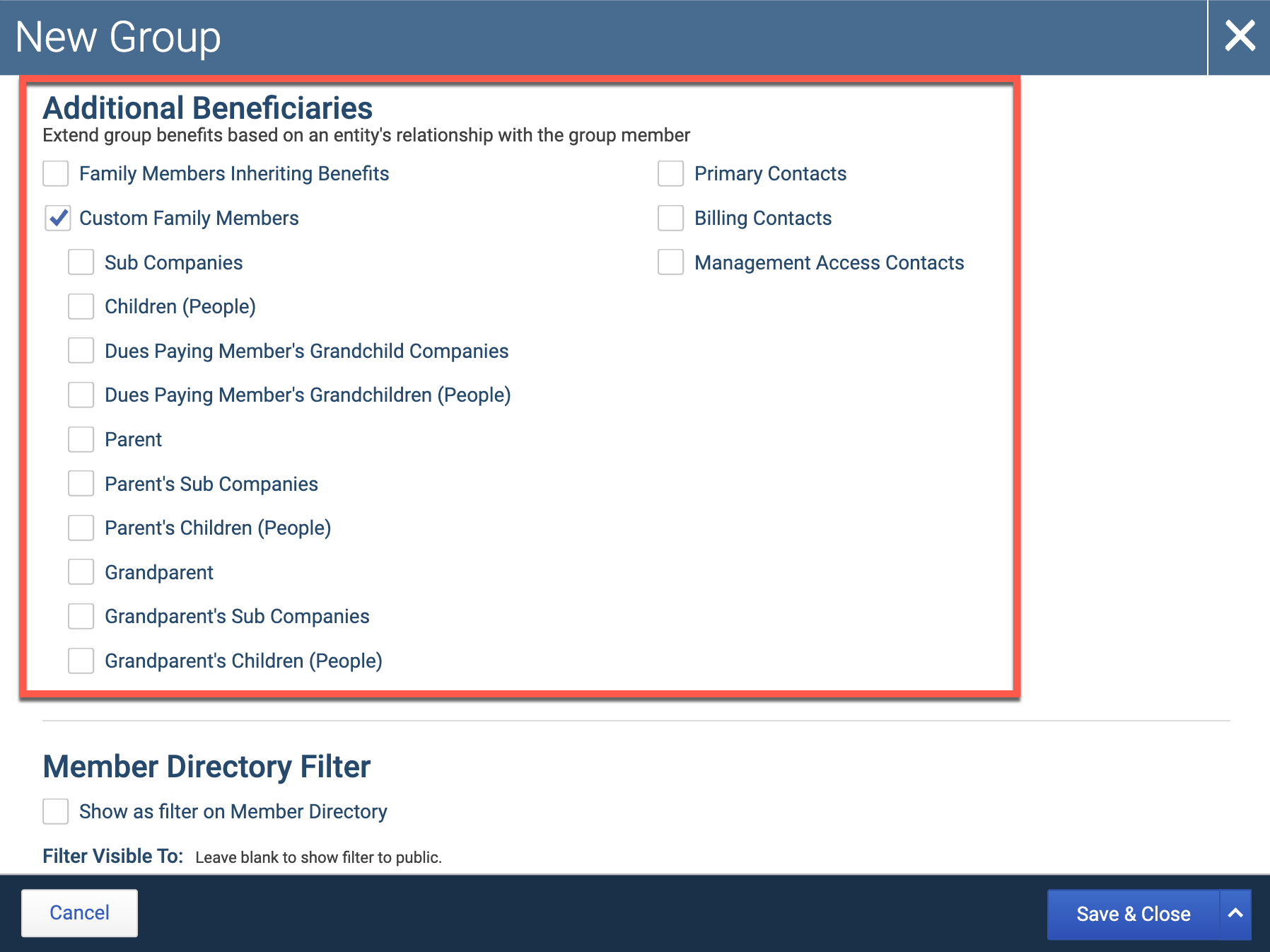
The Additional Beneficiaries options you'll have when creating a group are:
Family Members Inheriting Benefits
Custom Family Members
Primary Contacts
Billing Contacts
Management Access Contacts
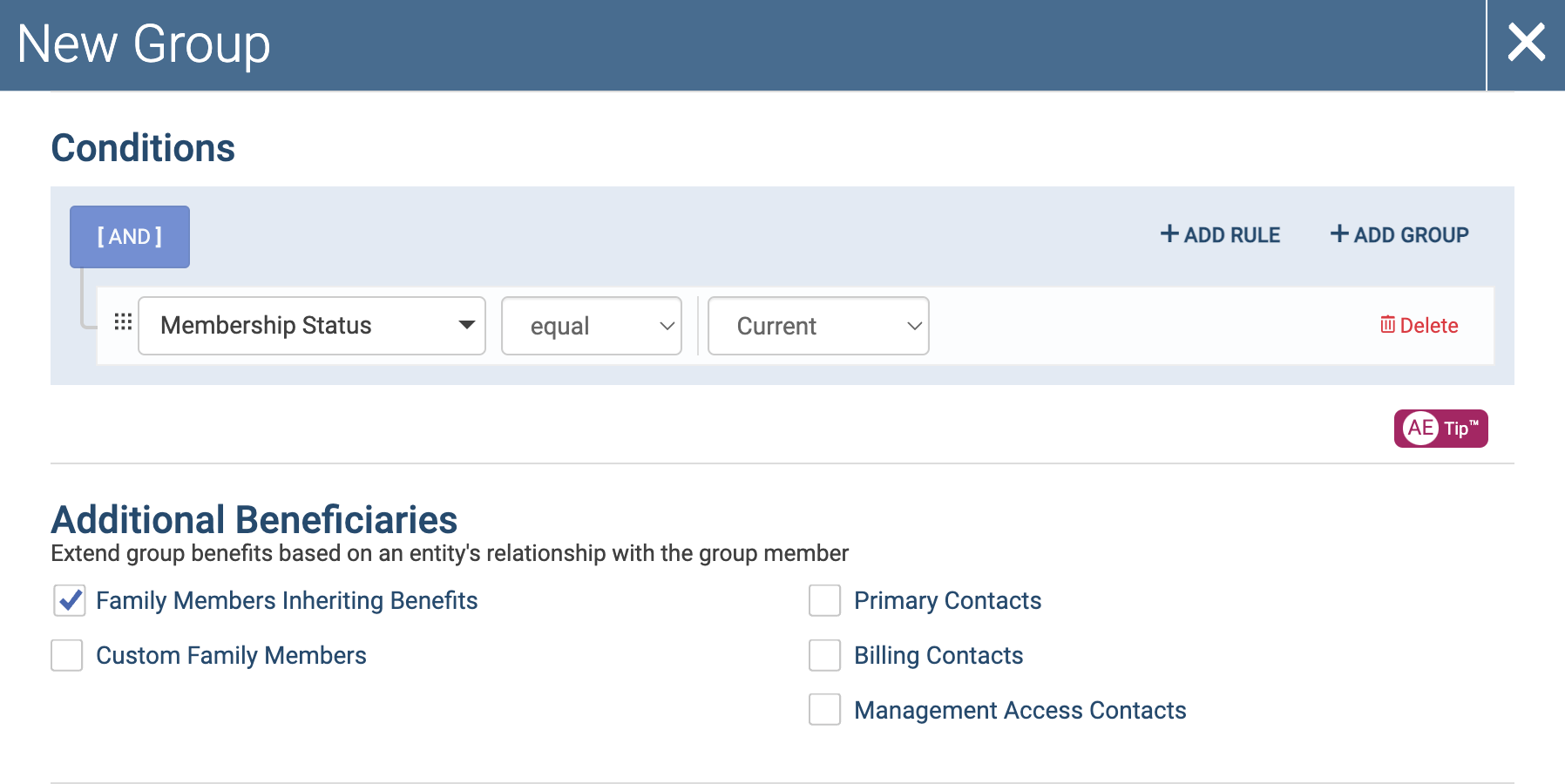
Below is an example of how the settings would look for a group of current members and any parties inheriting their membership benefits.
Condition: Membership Status = Current
Additional Beneficiaries: Group members & family members inheriting membership benefits selected (includes all current members and all the family members that are inheriting benefits from those current members)
How To View Group Beneficiaries
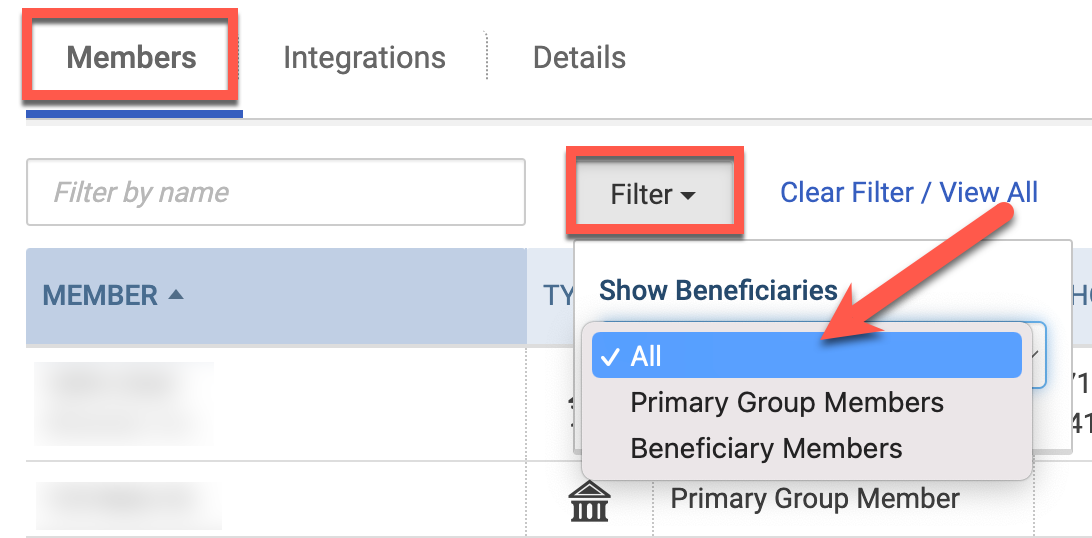
Once you've created your group, you can view the group members AND the group beneficiaries by going to the Members tab and changing the "Show Beneficiaries" filter to All.