Accessing the QuickBooks Payments Portal from within QuickBooks Online
Last updated: September 3, 2026
And how to access a list of credit card batch deposits
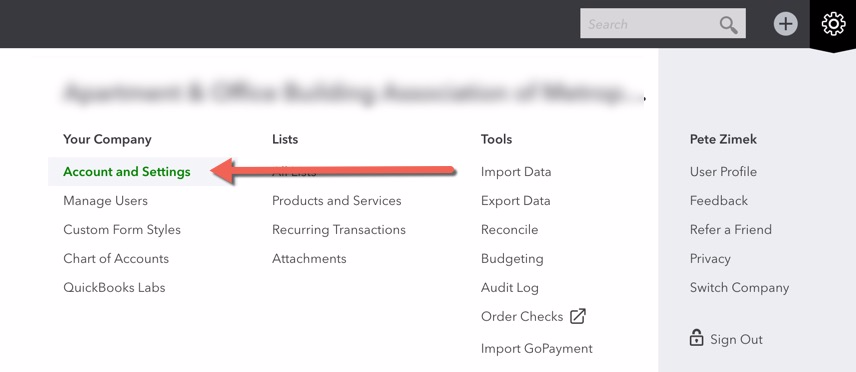
Open settings by clicking on the large gear icon

2. Click on "Account and Settings"
3. On the Payments tab, click on the green "Manage account" button

To find a list of past deposits, follow these instructions:
Within the QuickBooks Payments portal, click on the "Deposits" link underneath "Activity & Reports"
