Find Cancelled Event Registrations
Last updated: October 6, 2026
When an admin user cancels an event registration, the record will remain in your event data for historical purposes.
Attendee List
Cancelled registrations can be found on an event's attendee list. To view only cancelled registrations:
Click Filter
In the Registration Status field > select Cancelled
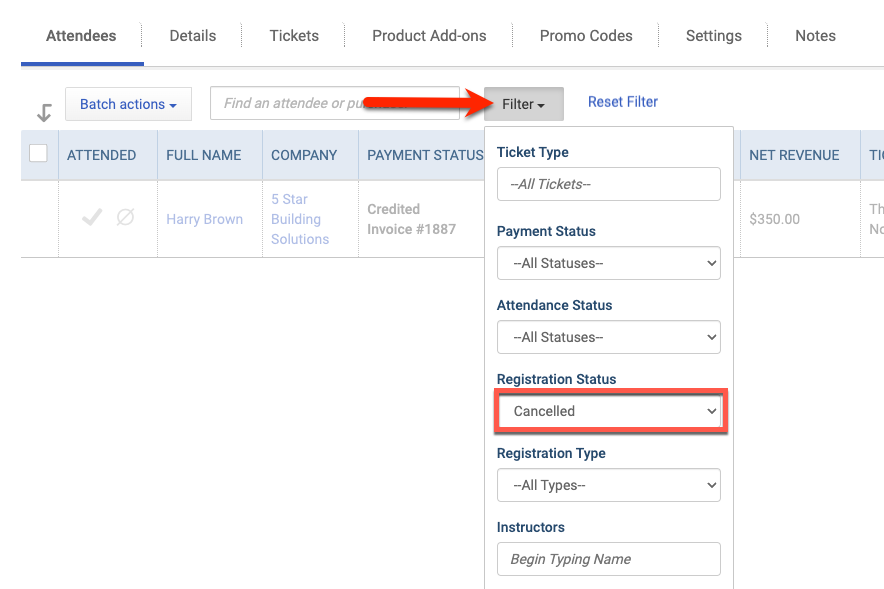
Or select --All Statuses-- to view both active and cancelled registrations in the list.
CSV Download
Cancelled registrations will be shown as greyed-out entries within the attendee list. For even more detail, admin users may download the list as a CSV.

Accounting Transactions
There are three ways to find accounting transactions linked to cancelled event registrations: the individual attendee record, the attendee list, and the CSV export.
If the cancelled registration was refunded, the related refund receipt or credit memo is also connected to the same event as the original transaction.
Individual Attendee Record
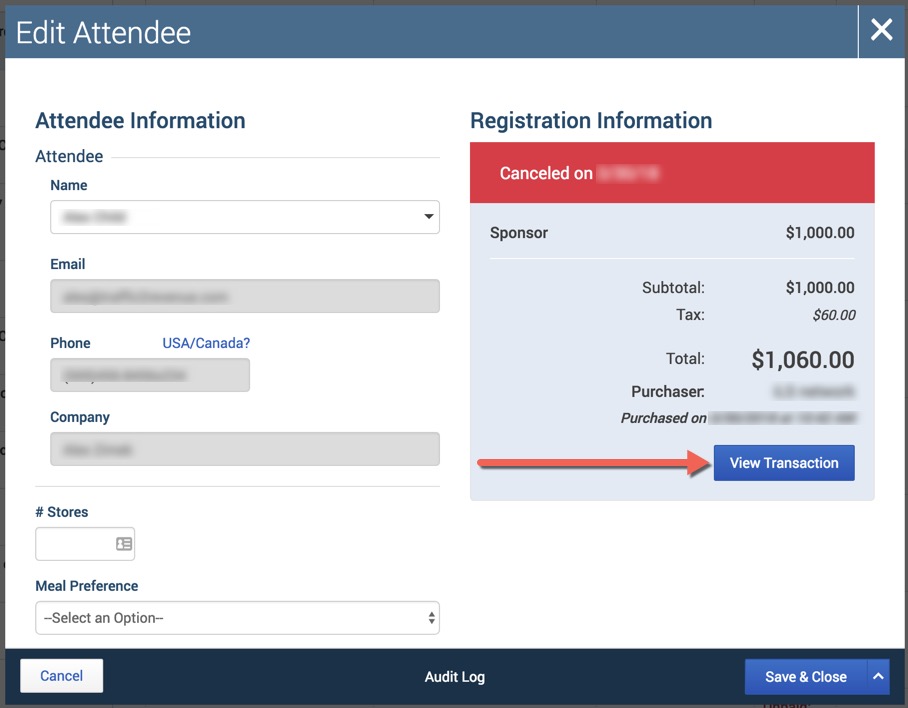
Click Edit in the action column for the attendee. Then select the View Transaction button in the pop-up modal.
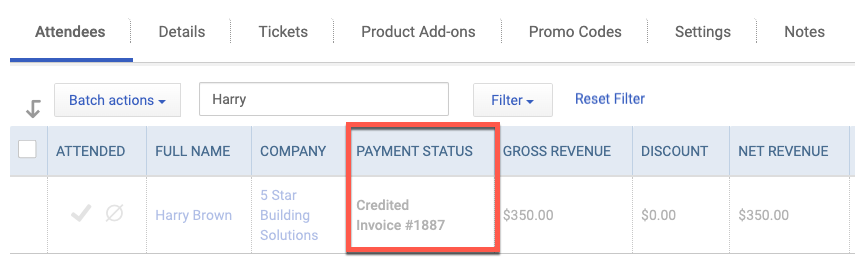
Attendee List View (After Showing Cancelled Registrations)
Filter the attendee list to a Registration Status of Cancelled, then check the Payment Status column.
CSV Export
The CSV export can be used to review cancelled registrations in more detail.

Audit Log
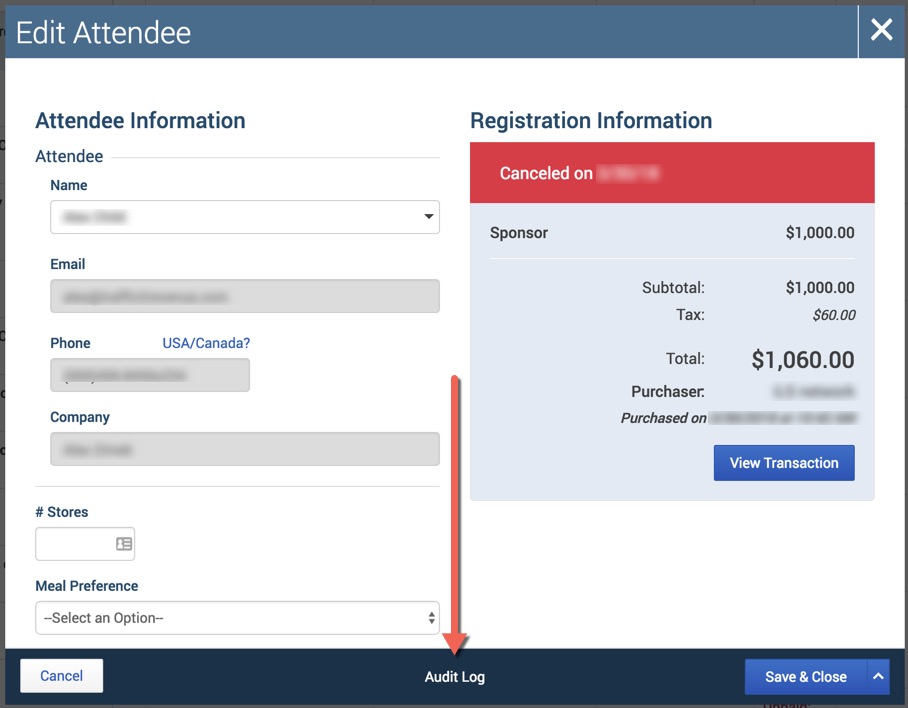
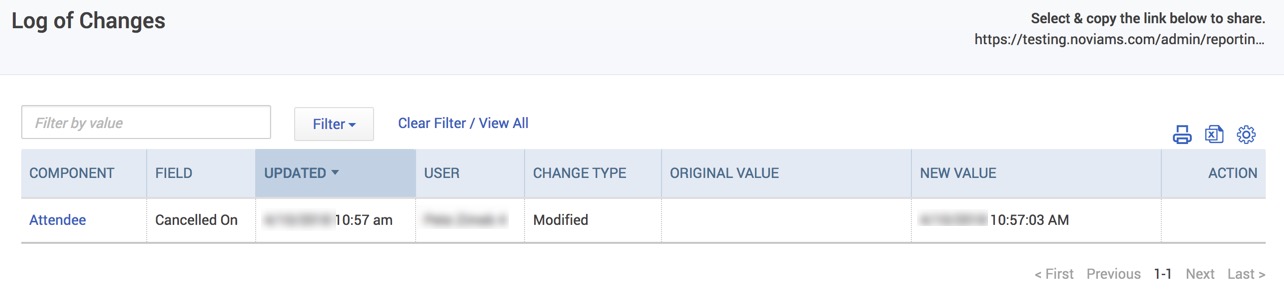
To find out who may have cancelled a particular event registration, you can check the audit log directly from the cancelled record.