Convert Member or Nonmember to Prospect
Last updated: October 8, 2026
Learn how to convert expired members or nonmembers to prospects, removing their membership dates.
Prospects are records that have a member type but have no "Member Since" or "Membership Expires" dates. They are not entitled to member benefits.
Expired members are records that have a member type and have had membership in the past, so they'll have "Member Since" and "Membership Expires" dates. They are not entitled to member benefits.
Both statuses are available in Groups so you can build segments for Prospects and Expired members for marketing campaigns or to restrict access to events or web content.
It is a rare case to convert an Expired Member to a Prospect. Taking this action will remove the Membership Since and Expiration Dates, which will affect reporting and historical data.
To convert a member record to a Prospect:
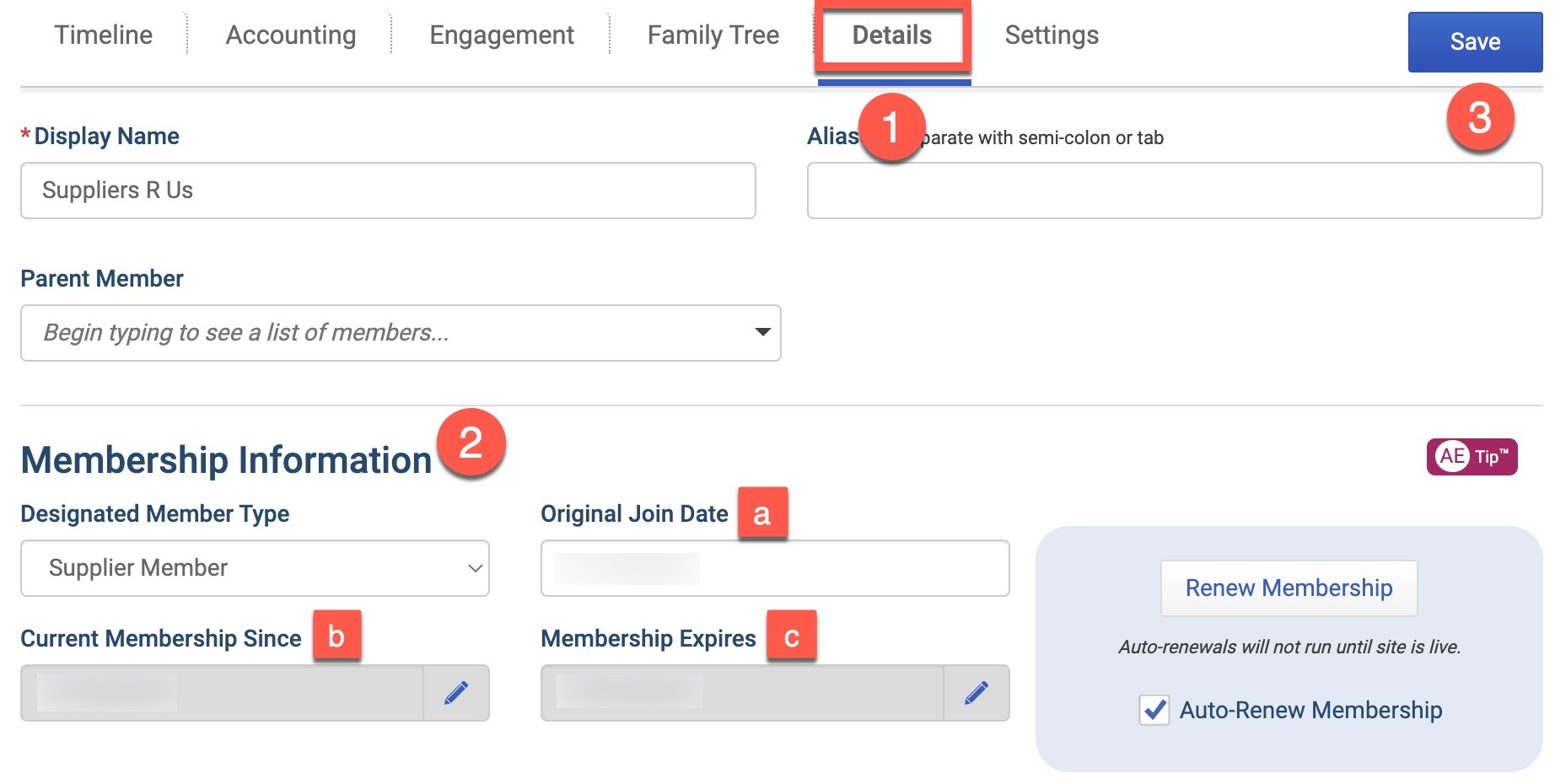
Navigate to the Details tab on the member's record.
Delete the dates in all 3 date fields:
Original Join Date
Current Membership Since
Membership Expires
Then click the Save button.
To convert a Non-Member record to a Prospect:
Navigate to the Details tab on the member's record.
Edit the Membership Information
Make sure the Designated Member Type is set to a member type.
(If applicable) Delete the dates in all 3 date fields:
Original Join Date
Current Membership Since
Membership Expires
Then click the Save button.If applicable, follow the same steps as converting a member record above.
Convert a Current Lifetime Member to a Prospect
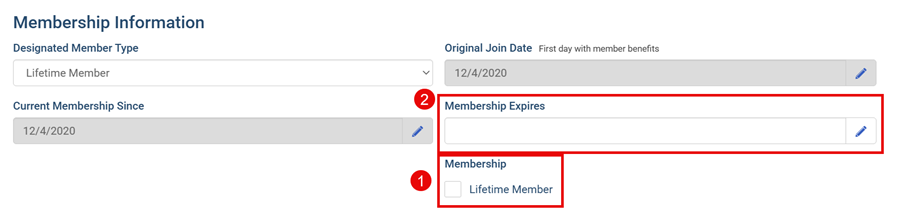
If the Lifetime Member box is 1) unchecked and 2) the Membership Expires date is cleared, then on save, the member will be converted to a Prospect.