Require or Prevent Event Tickets from Being Purchased Together
Last updated: October 6, 2026
Ticket relationship settings control which tickets registrants can combine. Use them to unlock add-ons only for registrants who hold a qualifying ticket, or to stop registrants from selecting overlapping or conflicting options.
Ticket Relationship Settings
Novi has two ticket relationship settings:
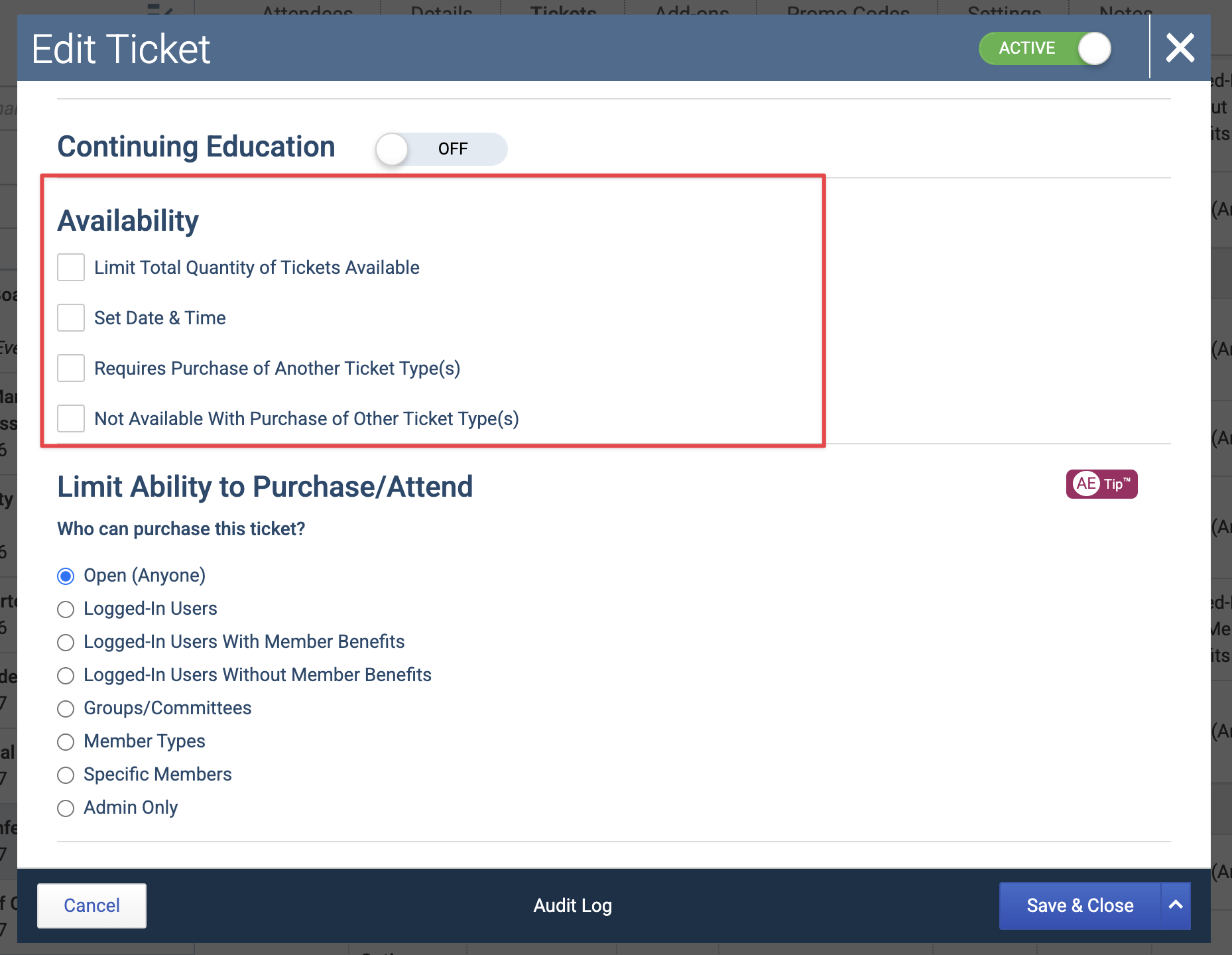
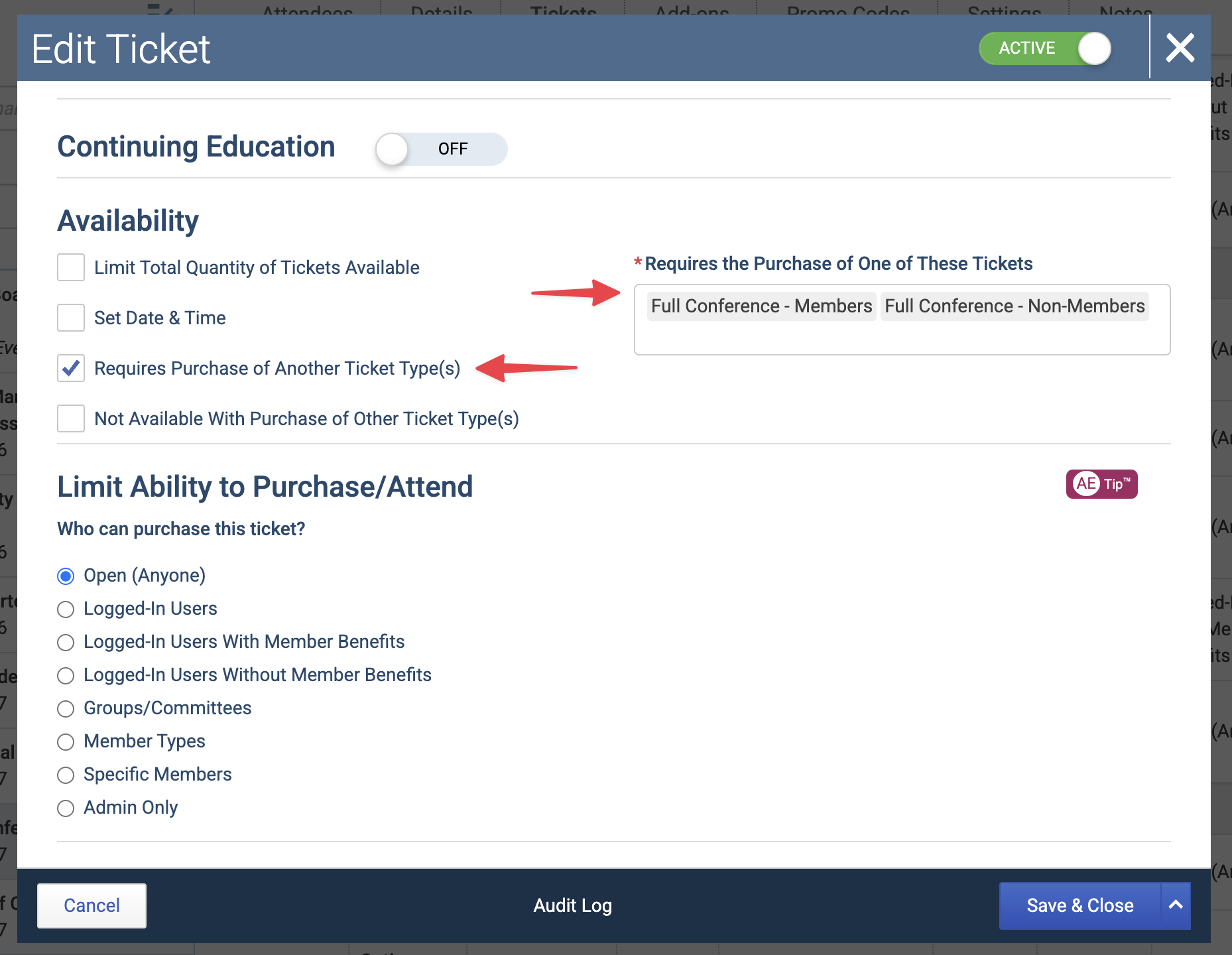
Requires Purchase of Another Ticket Type – A ticket stays locked until a qualifying ticket is selected or has already been purchased. Think of it as "you must have this first."
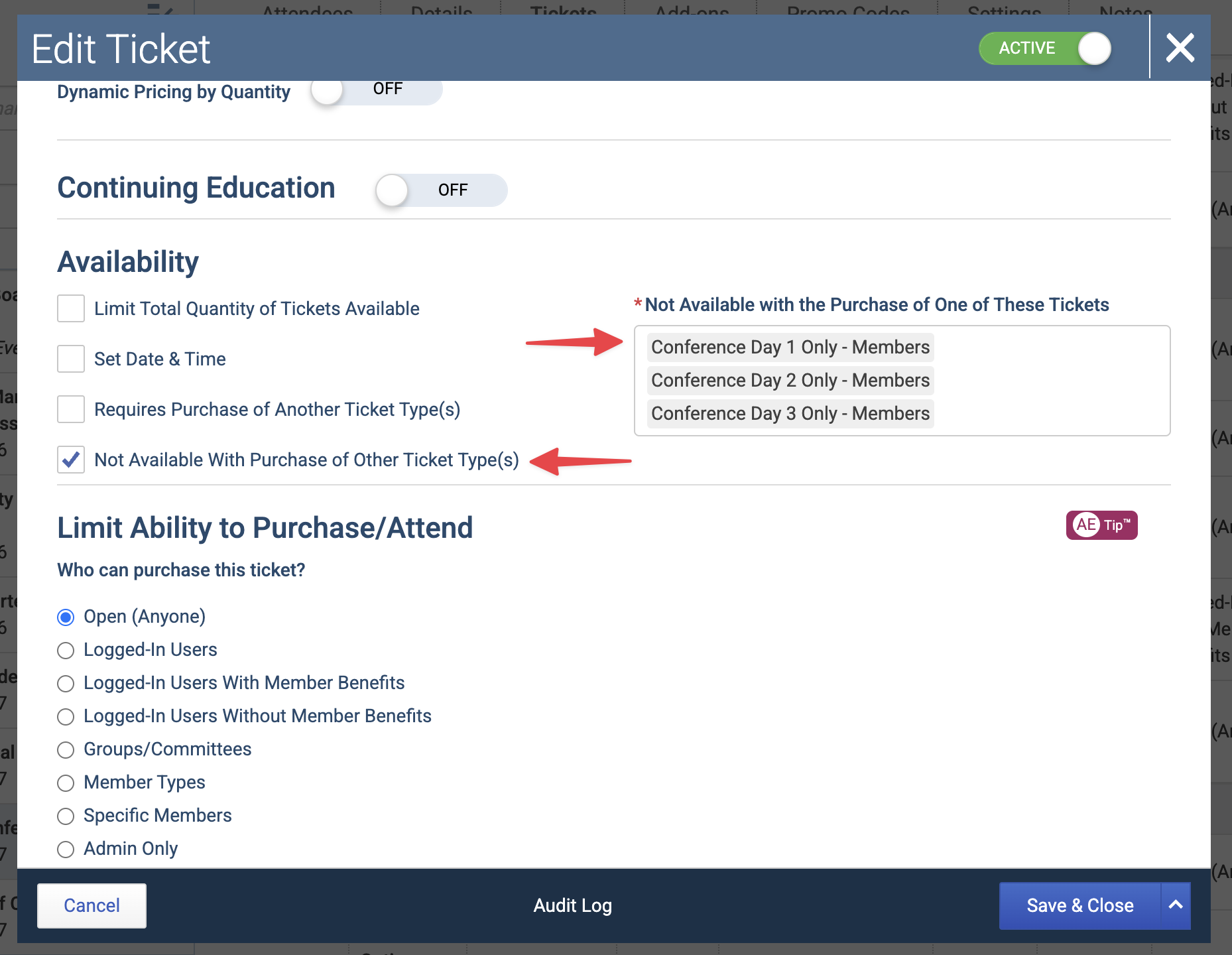
Not Available with Purchase of Other Tickets – Two tickets can't be selected together. Think of it as "this or that, but not both."
When to Use Requires Purchase of Another Ticket Type
Use this setting when a ticket only makes sense alongside another ticket. Common examples:
A breakout session, meal, reception, or activity limited to full-conference registrants.
A guest ticket that becomes available only after the primary attendee's ticket is selected.
A member-only or sponsor-only add-on that requires a specific qualifying ticket.
When to Use Not Available with Purchase of Other Tickets
Use this setting when two tickets overlap or represent competing choices. Common examples:
A full conference ticket that already includes individual sessions, so registrants shouldn't also buy those sessions à la carte.
Single-day tickets where registrants should choose Friday Only or Saturday Only, not both.
Concurrent workshops or sessions held in the same time block.
Sponsorship packages where a company should choose only one.
A complimentary or discounted ticket that shouldn't be combined with another ticket.
💡 Tip: Examples like concurrent sessions and one-day-only choices depend on Novi checking each person separately. Review How Rules Apply in Ticket-Based vs. Attendee-Based Registration before you set these up.
Set Up a Ticket Relationship
Go to Events and open the event.
Select the Tickets tab.
Create a new ticket, or edit the ticket the rule should apply to. For a required-ticket rule, edit the add-on or dependent ticket, not the main ticket.
In the ticket relationship settings, turn on Requires Purchase of Another Ticket Type or Not Available with Purchase of Other Tickets.
Select the related tickets. For a required-ticket rule, choose the qualifying ticket or tickets. For a not-available rule, choose the tickets to block when this ticket is selected.
Select Save.
Repeat for each ticket that needs its own rule.
What Registrants See
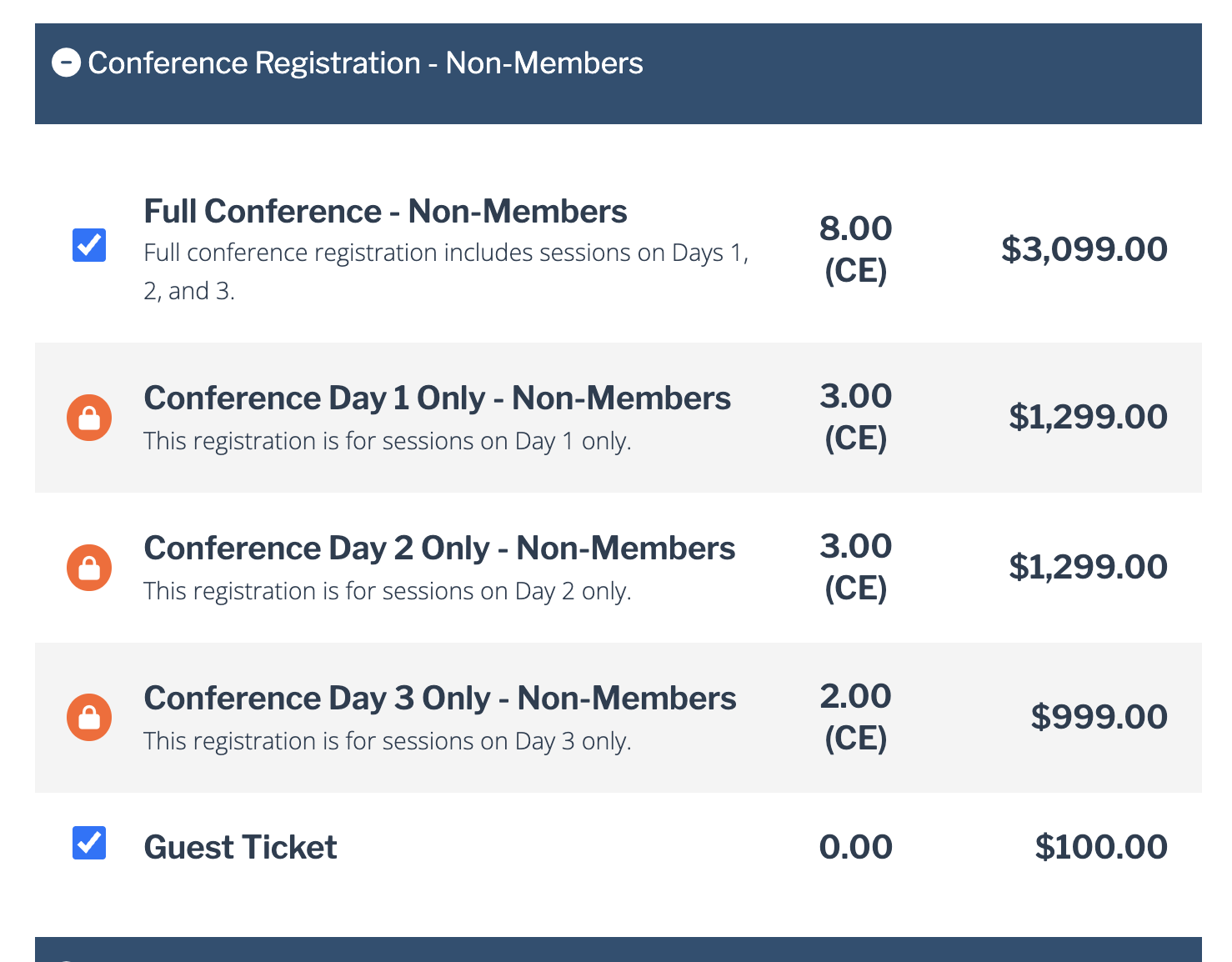
Required tickets – The dependent ticket shows a locked icon and a message explaining why it can't be selected until the qualifying ticket is selected or is already part of the registration.
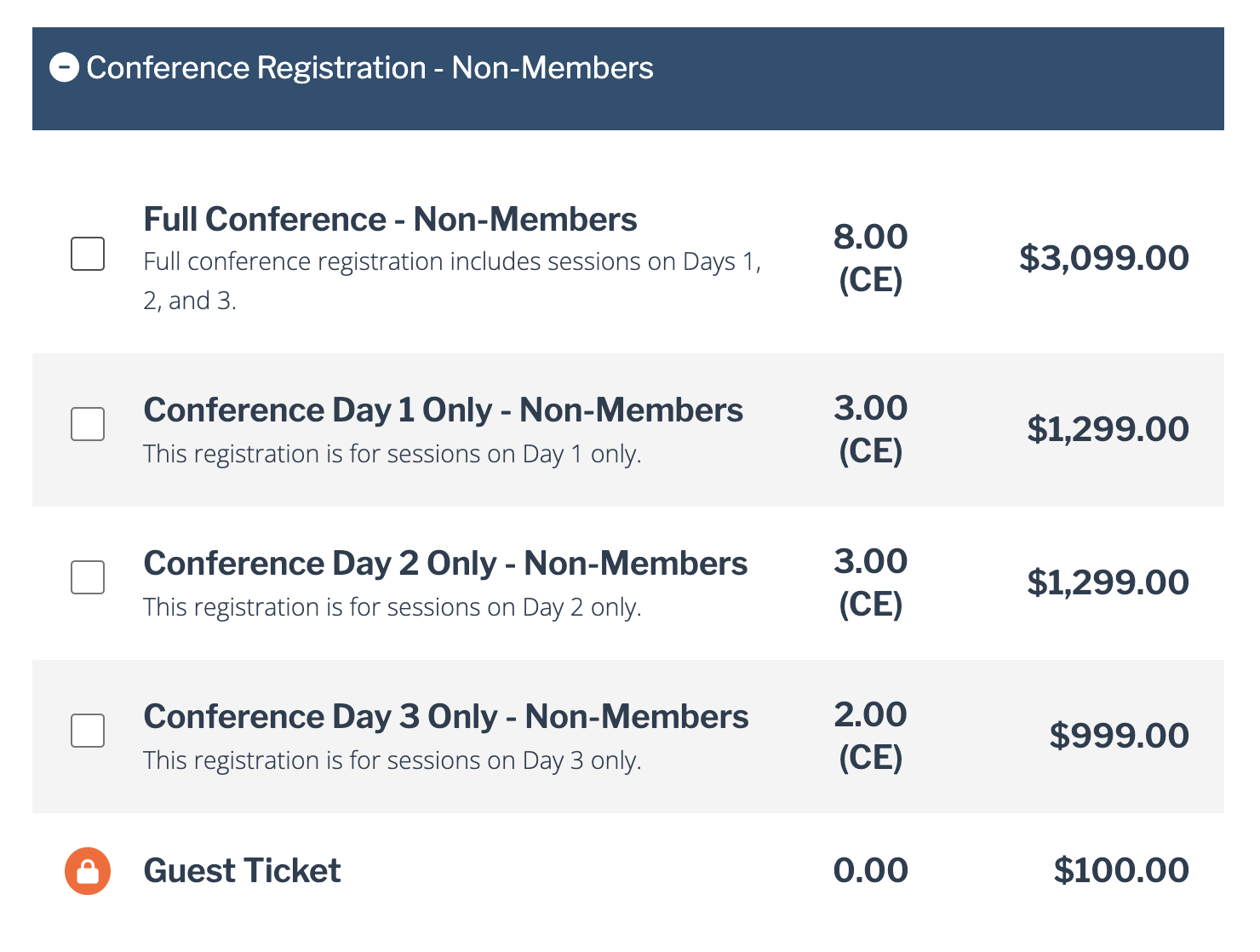
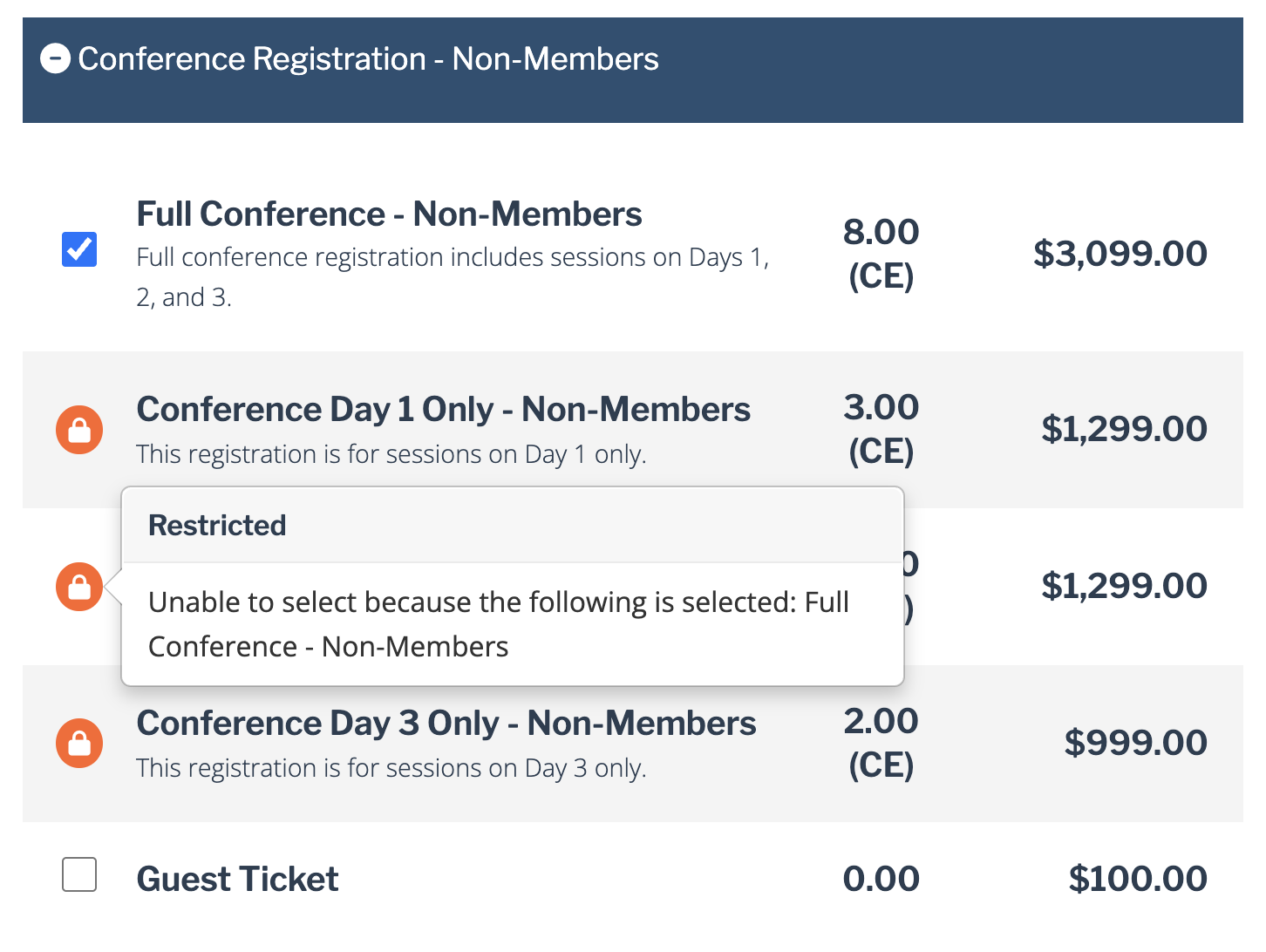
Not-available tickets – After a registrant selects one ticket, the conflicting ticket shows a lock icon and a message explaining why it can't be selected.
In this example, a Guest Ticket can only be selected once a Full Conference – Non-Members ticket is selected:
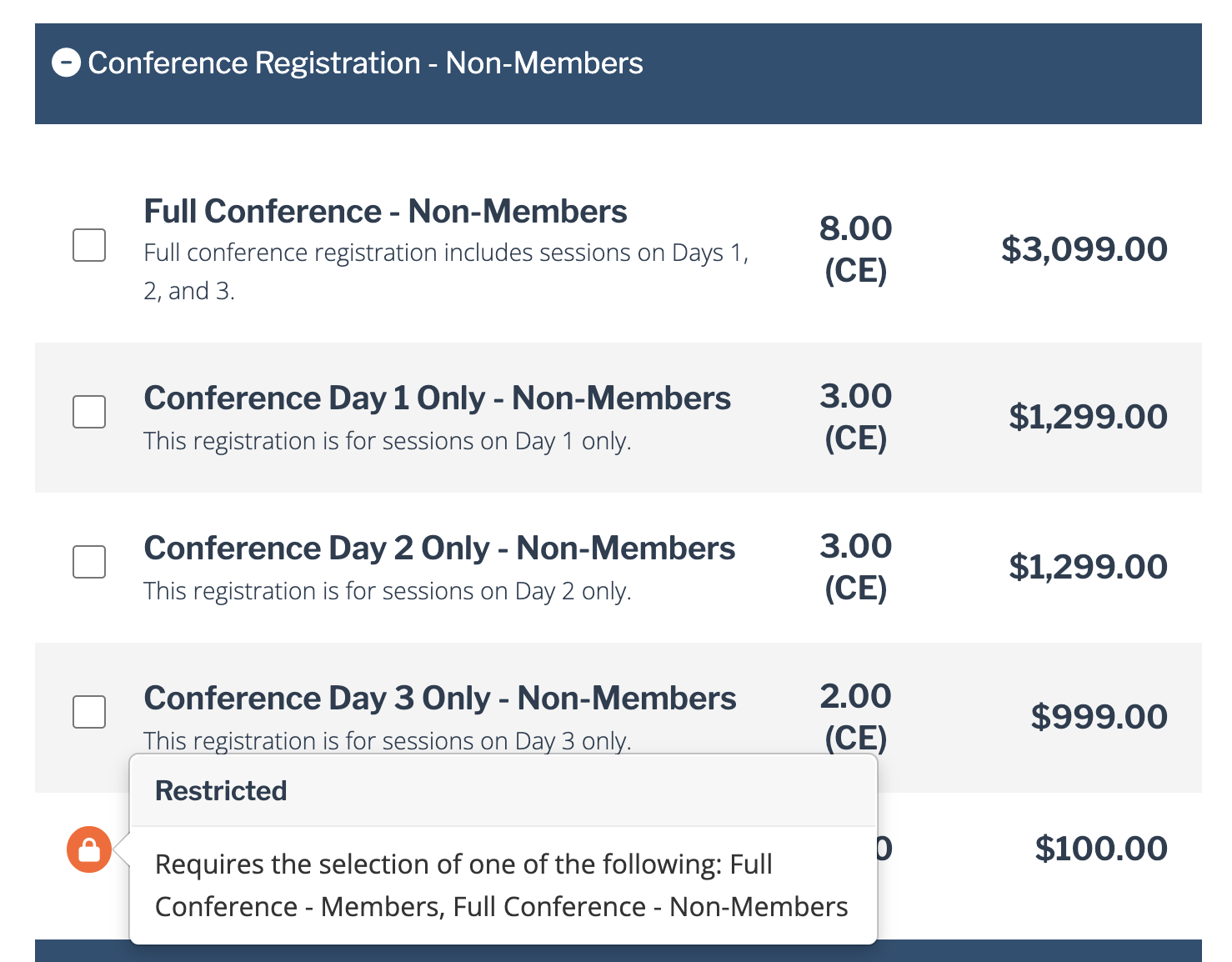
In this example, each individual conference day ticket is locked down once the Full Conference – Non-Members ticket is selected since the Full Conference – Non-Members ticket already includes all individual days:
How Rules Apply in Ticket-Based vs. Attendee-Based Registration
Ticket relationship rules always check a group of tickets. Your event's registration pathway decides what that group is:
Ticket-Based Registration – Novi checks every ticket in the registration together, no matter who each ticket is for.
Attendee-Based Registration – Novi checks each attendee's tickets separately.
Here's how that plays out when Jane registers herself and her colleague Sam in one registration, and Jane selects a Full Conference ticket for herself:
Rule | Ticket-Based Registration | Attendee-Based Registration |
|---|---|---|
The Reception ticket requires Full Conference. Sam wants a Reception ticket. | Available. A Full Conference ticket is in the registration. | Locked for Sam until Sam also has a Full Conference ticket. |
Workshop A and Workshop B can't be purchased together. Jane wants Workshop A and Sam wants Workshop B. | Blocked. Both workshops would be in the same registration. | Allowed. Each attendee selected only one workshop. |
Tip: If one person often registers several attendees and you need per-person choices, such as one workshop per time block, use Attendee-Based Registration.
Important Notes
Admins can override these rules when registering someone from the backend. The rules control what registrants can select on the frontend.
Rules apply only to the exact tickets you select. If Ticket A requires Ticket B, and Ticket B requires Ticket C, Ticket A doesn't automatically require Ticket C. The same is true for not-available rules. Add each relationship you need directly.
A required-ticket rule checks whether the qualifying ticket is present, not how many. One Full Conference ticket can unlock multiple guest tickets unless you also set a purchase limit.
Other ticket settings still apply. Visibility, ability to purchase, date availability, capacity, and purchase limits can all affect whether a registrant can select a ticket.