Remove a Person from a Company
Last updated: November 9, 2026
Individuals may be associated with a company through the Parent Member field on their record. When that connection has been established, the individual will show on the Family Tree tab of the company's record on the People sub-tab.

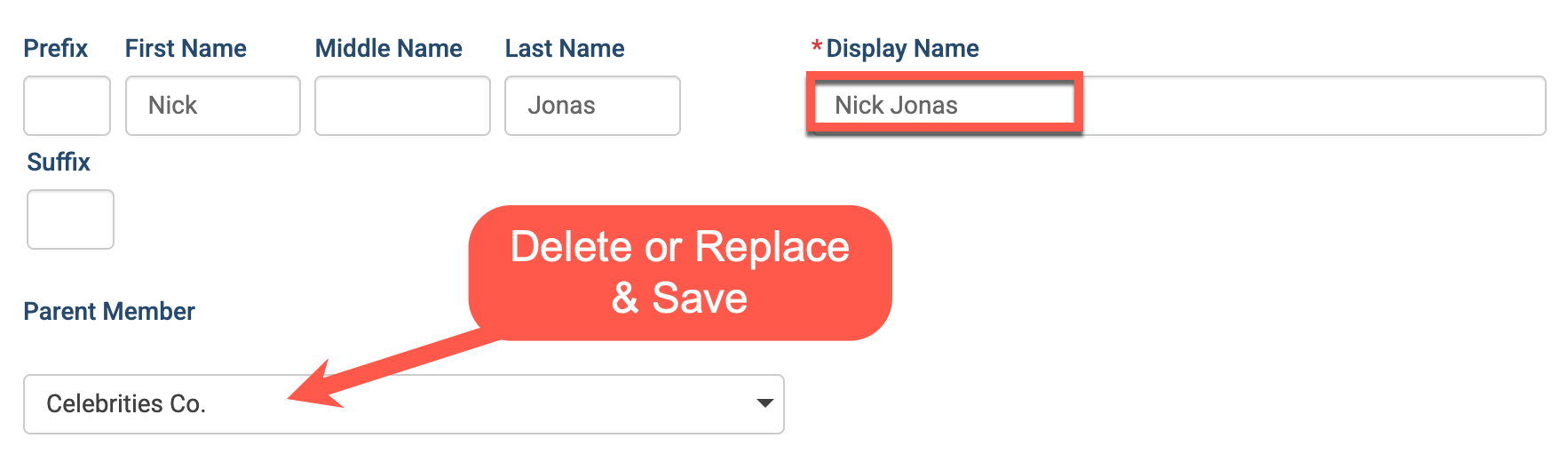
To remove a person from a company, go to that individual's record and delete the company from the Parent Member field. This will remove the person from the company's people list and revoke any benefits that the person may have been receiving because of their relationship or employment with the parent company.
Workflow
Open the individual's record and click to view the Details tab
Click into the Parent Member field
Delete the parent from the field (backspace)
Click the Save button
Optional:Add a new company to the Parent Member field if the individual has a new employer.
If the company does not already exist in Novi, admins can type the new company name into the Parent Member field and click "Add <company name>" to quickly create the company and select it as the individual's parent company. → Learn More: 📄 Create a New Company or Person
Click the Save button
Important Note: Removing an individual from a company does not remove them from Novi or remove their user account. To remove them from Novi entirely, consider deactivating the record, which removes them from the parent as well.
→ Learn More: 📄 Deactivate or Reactivate a Member Record