Committee Reporting and Engagement Tracking
Last updated: October 19, 2026
In addition to looking at committee member information within the committee itself, find more information on committee terms in a few different spots: on member record Engagement tabs, the activity timeline, the Committee Terms Report, and the Engagement Report.
Member Records
Engagement Tab
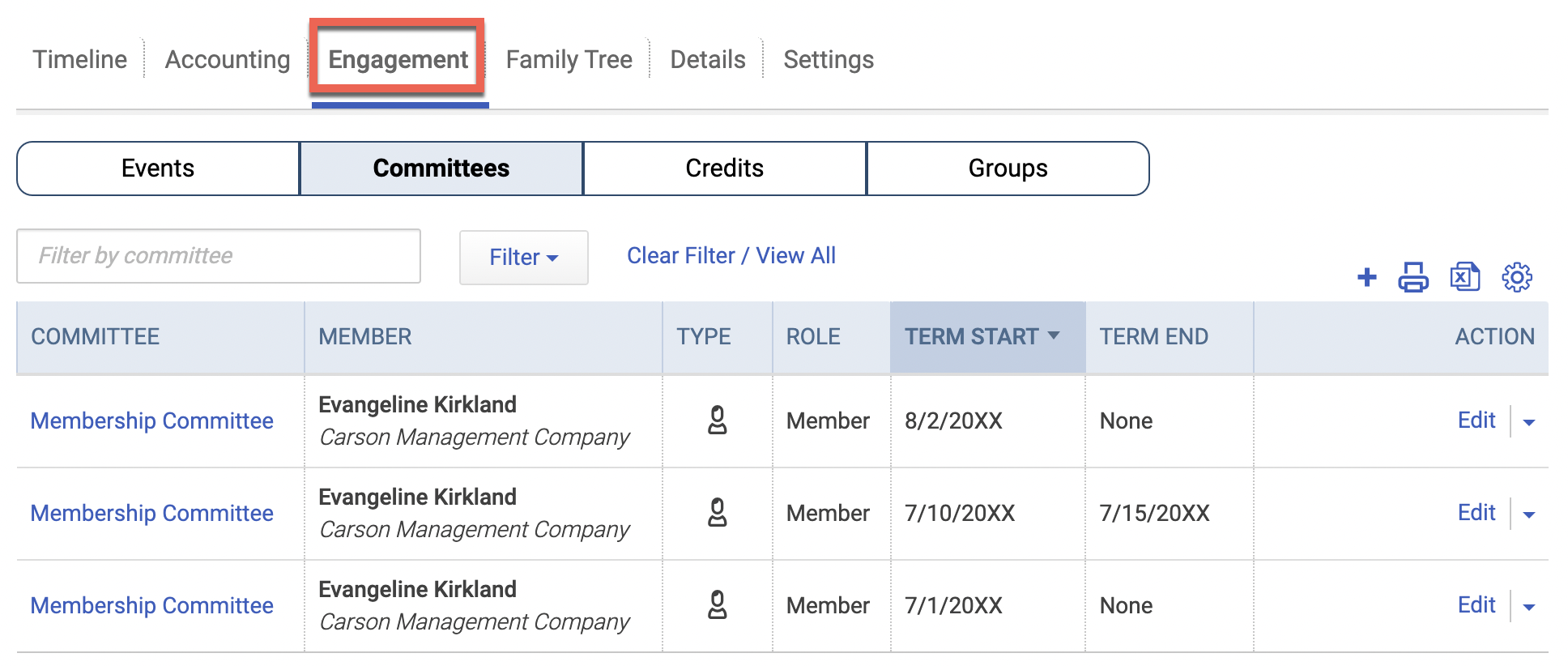
In a specific person or company's record, view their committee involvement under the Engagement tab.
Visit the Committees subtab, where you'll see each unique term for this member listed individually. You can filter to view terms for the members or related members, edit terms under the Action column, print/export the list of terms from here, and more!
Activity Timeline
Committee involvement is also logged on a member's activity timeline! When a committee term begins, ends, or the committee member becomes ineligible, an activity is logged:
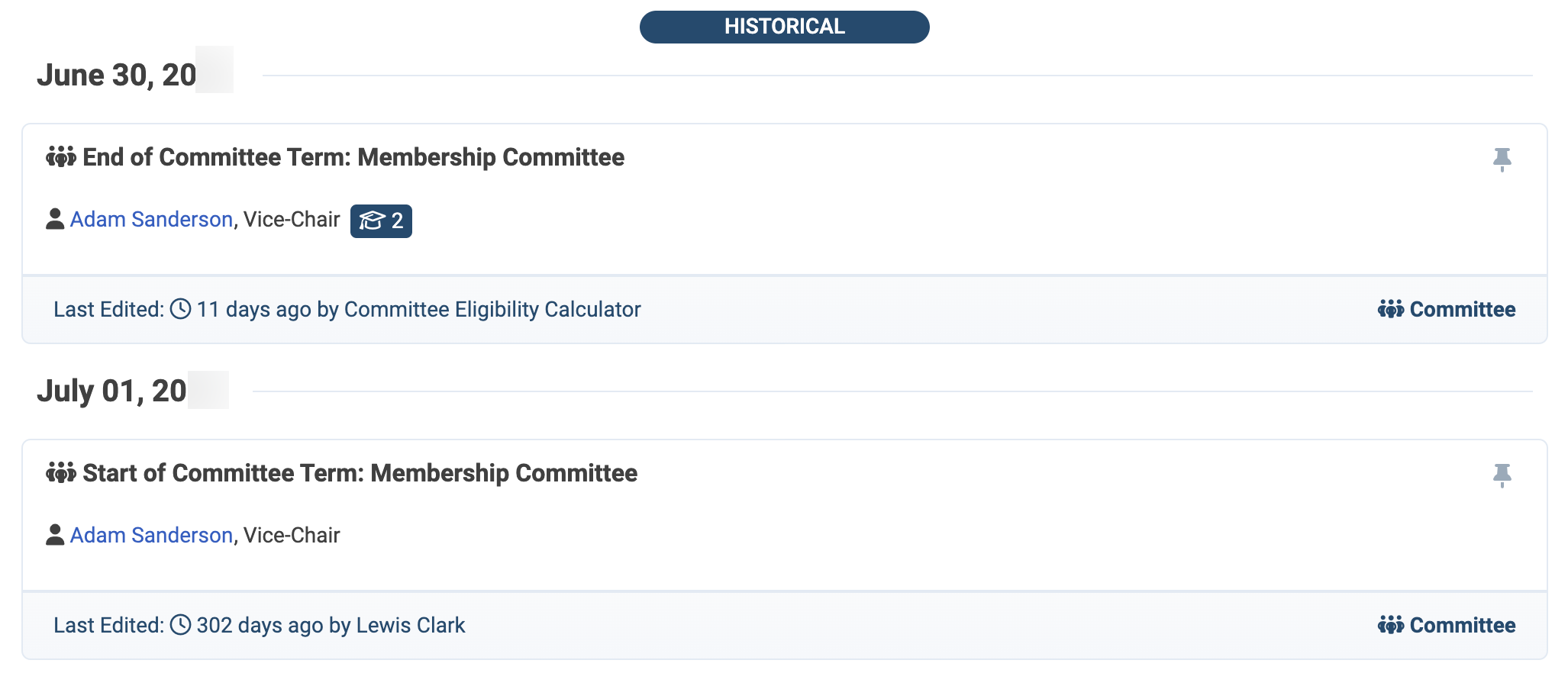
This also rolls up to the larger Activity Timeline report, if you'd like to see this data across all records.
→ Learn More: 📄 Activity Timeline Report
Committee Terms Report
For a glimpse at committee terms across all records, visit the Committee Terms Report under the Reporting tab.
You can search for a particular term by member, role, or committee name. Alternatively, use the filters to narrow the report down to a specific committee, committee categories, roles, member types, and more.
You can also add a Committee Member Term directly from this report as a shortcut.

Member Engagement
The member engagement report calculates engagement among members based on their participation in events, purchase of products, and/or committee involvement.

Keep in mind, this report only shows dues-paying members, meaning those records with a member type.
So, if your members are companies, you won't see individual people in this list. What you'll find is a roll-up - so, if ABC Company is a member, and John Smith is staff of ABC Company and has participated in a committee, ABC Company will show as having committee engagement within the filtered date range.
→ Learn More: 📄 Member Engagement Report
Creating Groups Based on Committee Involvement
Sometimes you may need to create groups based on committee involvement, whether for an integration or to segment members by several factors at once. There are two conditions to use in your group setup: Committee Name and Committee Service.
Committee Name
Committee Name lets you build conditions based on someone's current, past, future, or lack of involvement on a committee.
Currently serving on includes people with an active term on the committee. Only eligible members are included.
Historically served on includes people who served on the committee in the past.
Will serve in the future on includes people with a term that hasn't started yet.
Never served or scheduled to serve on includes people with no past, current, or future term on the committee.
Currently, historically, or is scheduled to serve on includes anyone with any term on the committee, regardless of dates.
Committee Service
Committee Service lets you target a specific role on a specific committee, and when someone holds it.
Currently serving as includes people with an active term in that service. Only eligible members are included.
Historically served as includes people who held that service in the past.
Will serve in the future as includes people with a scheduled term that hasn't started yet.
Never served or scheduled to serve as includes people with no past, current, or future term in that service.
Currently, historically, or is scheduled to serve as includes anyone with any term in that service, regardless of dates.
Then choose a committee and role combination. You can be broad (Any Committee – Any Role) or specific (Finance Committee – Chair). For example, Committee Service currently serving as Finance Committee – Chair pulls only your current Finance Chair.
→ Learn More: 📄 Create Groups Based on Committee Service