Explore Your Data with Novi Navigator
Last updated: September 9, 2026
Get instant answers about your association's data with Novi's in-house AI assistant, Novi Navigator.
Novi Navigator is Novi's in-house AI-powered assistant that can chat with you about your association’s data in real time. Navigator can dive into your reports, events, member records, and more, to quickly surface insights and answer everyday questions.
How to Set Up Novi Navigator
To get started with Novi Navigator, you'll need to Enable Novi Navigator from your Amplify Settings. This allows your team to make the intentional choice to opt into the feature.

> Learn more about managing your Amplify Wallet
Where to Find Novi Navigator
After Navigator is enabled, you'll see an Ask Navigator button at the top of your Novi admin to open Novi Navigator. The panel opens in a sidebar where you can ask a question to get started. This sidebar is also where previous conversations and answers will live.
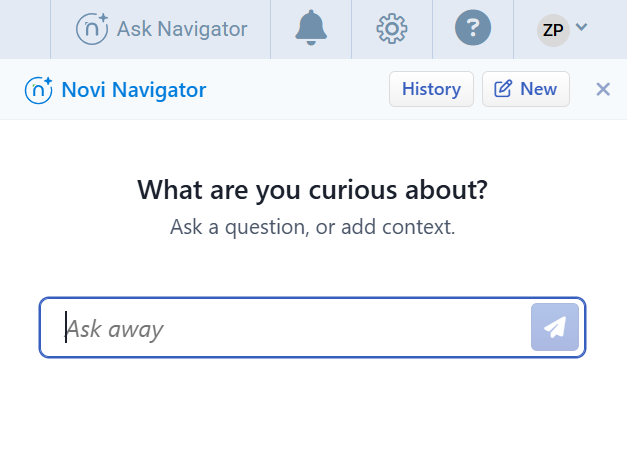
What to Ask Novi Navigator
Novi Navigator handles questions across five areas (membership data, events, membership engagement, help resources, and workflows). Here are examples of what you can ask about:
Membership Inquiries
Get quick answers about individual members or compare data across your full membership.
Get a summary of a specific member, including membership status, recent engagement, and transaction history.
Which current member has the most inheriting members?
Which individual has the most active committee roles?
Do any members have more than one open dues invoice?
Which member type has had the most growth over the last 2 years?
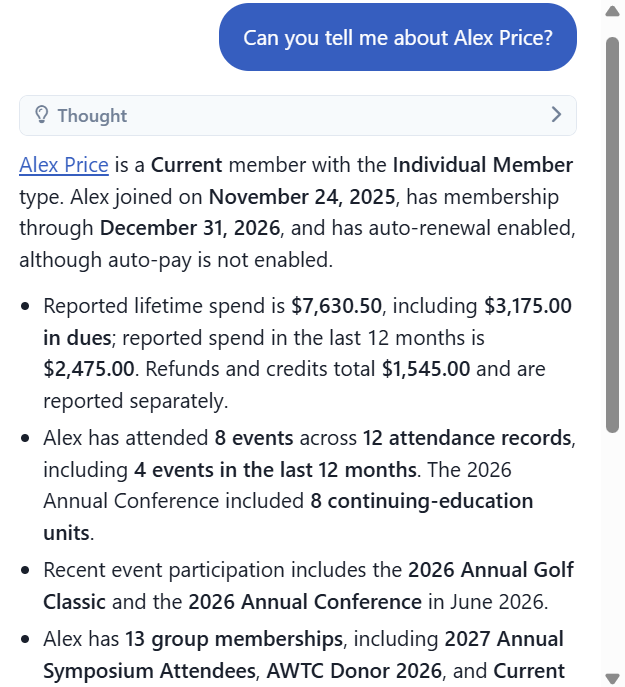
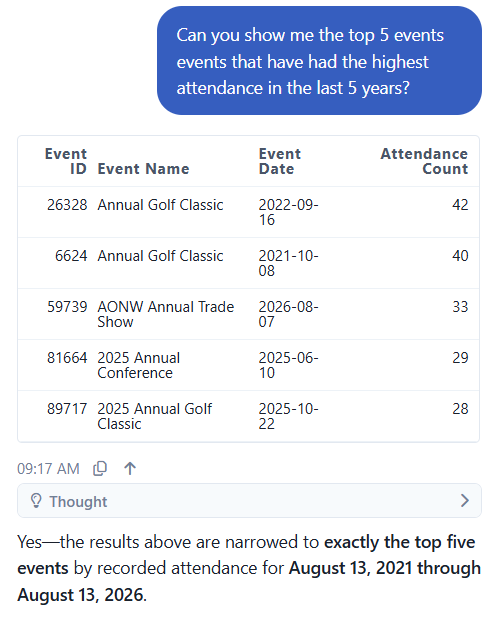
Event Inquiries
Dig into attendance, revenue, and registration details across your association's events.
How many people attended a specific event?
Which event had the highest revenue?
Which company, including grandparent-level, has the most attendees in their family tree for this event?
Which ticket is the most expensive for an event?
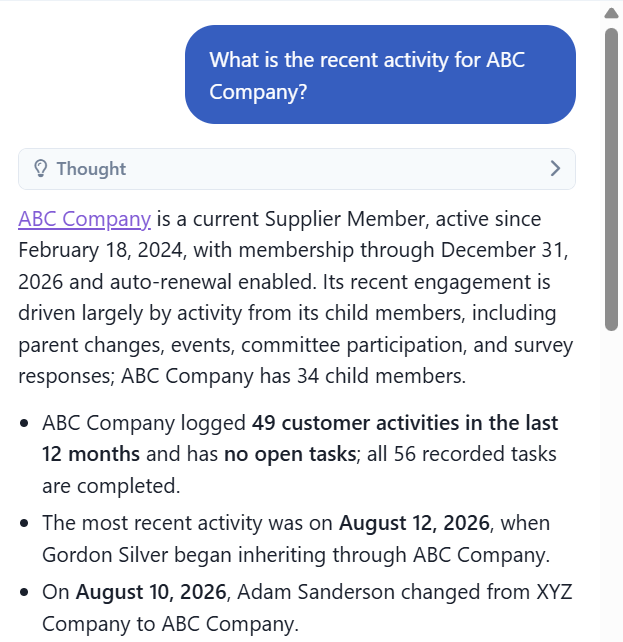
Membership Engagement Summaries
Generate a narrative overview of any member's history, status and engagement patterns.
Give a full engagement summary for [member name].
How does [member name]'s event attendance compare to the rest of our membership?
What's the recent activity for [company name]?
Help Center and Documentation Search
Find how-to-guidance, feature explanations, and release notes without leaving the Navigator Panel.
How do I set up event tickets?
What Changed in the recent Novi release?
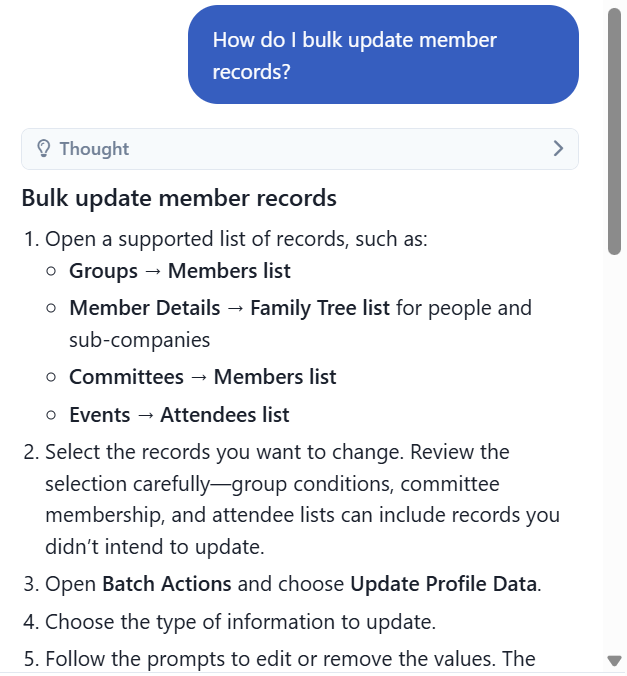
How do I bulk update member records?
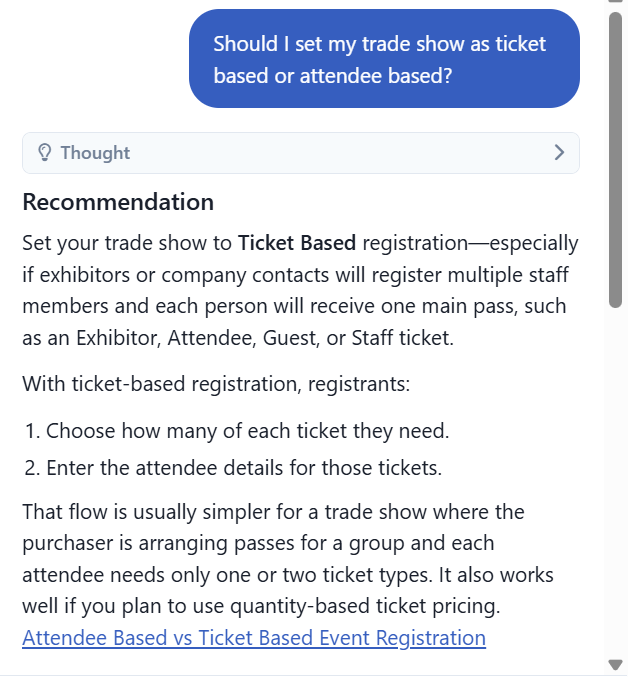
Recommendations for setting up an event.
Example 1: Bulk updating member records
Example 2: Trade show event configuration
Important Note : Navigator is not replacing our human support through the "blue bubble" or email, it's just another way for you to self-service questions about Novi!
Workflow Prompts
Novi Navigator can provide step-by-step instructions for common Novi workflows, and help open the relevant section in Novi to get started. A few examples include:
Create a product order
Register a member for an event
Add a new member record
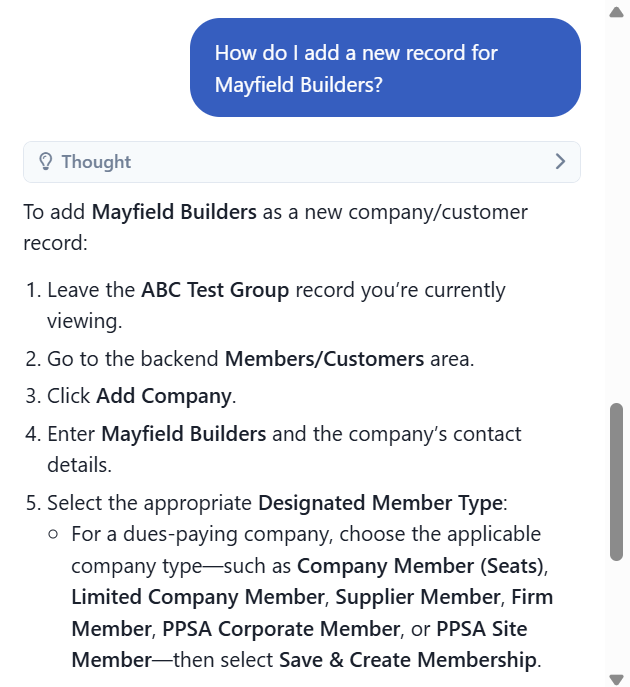
How Novi Navigator Still Keeps Your Data Safe
Novi Navigator is designed with strict controls to ensure your data remains private. Here's what that means in practice
Your data only: Every query is limited to your association's data. If you were to ask about another association's data, the system would refuse the request and remind you that it can only help with your association's data. (This is an especially important note for customers who have multiple Novi databases.)
Read-Only Access: Novi Navigator is currently read-only. This means that it is impossible for Novi Navigator to modify, delete, or create data in the system. This provides an additional layer of protection beyond the application-level safeguards.
User-Based Conversation Access: You can only access your own conversation history. Each conversation is tied to your user account, ensuring privacy. When you view your conversation history or load previous conversations, the system verifies that you are the owner of that conversation before displaying it.
Admin-Only Access: Only association admins can use Novi Navigator. It respects the permissions of the logged-in user and will not surface information outside those permissions. Learn more about Granting Users Full, Limited, or Page Editor Admin Access To Your Novi Database.
Limitations
Novi Navigator is a powerful took, but it's important to know what it can't do:
AI can make mistakes. Always verify critical data manually. Navigator may misinterpret a question or return an incomplete answer.
No data modification. Navigator cannot currently create, update, or delete any records.
Your association's data only. Navigator cannot access data from other associations.
No external data. Navigator works with data already in your Novi AMS database meaning, it cannot pull from outside sources.
Novi AMS actions only. Navigator can filter lists and navigate within Novi AMS. It cannot send emails, create files, or interact with external systems.
Best Practices
A few habits that help you get the most accurate, useful answers:
Be specific. "Show me current members in Orlando who joined in 2024" will get you a better answer than "show me my members from a few years ago."
Use natural language. Phrases like "last quarter," "our biggest event," or "members who haven't renewed" all work – no database terminology needed.
Break down complex questions. If you have a multi-part question, ask each part separately for more accurate results.
Add context. If you're on a specific page in Novi AMS, mention it – Navigator can use that context to give more relevant answers.
Getting Help
Novi takes a human-first approach to support. If you run into an issue or have suggestions, use the feedback feature after any conversation or reach out directly.
→ Learn more about Novi support options
Keywords: AI assistant, navigator, association data, Novi AI, member insights, event data, association reporting, Navigator setup