Allow Individuals to Change their Parent Company
Last updated: September 17, 2026
When an individual changes companies, their Parent Member in Novi should be updated to reflect the company they currently work for.
You can choose whether individuals are allowed to make this change themselves through their Member Compass or whether they need to contact your association or chamber staff for assistance.
This is controlled under Association Settings > Membership > Parent Member Access. Learn more: 📄 A Guide to Association Settings.
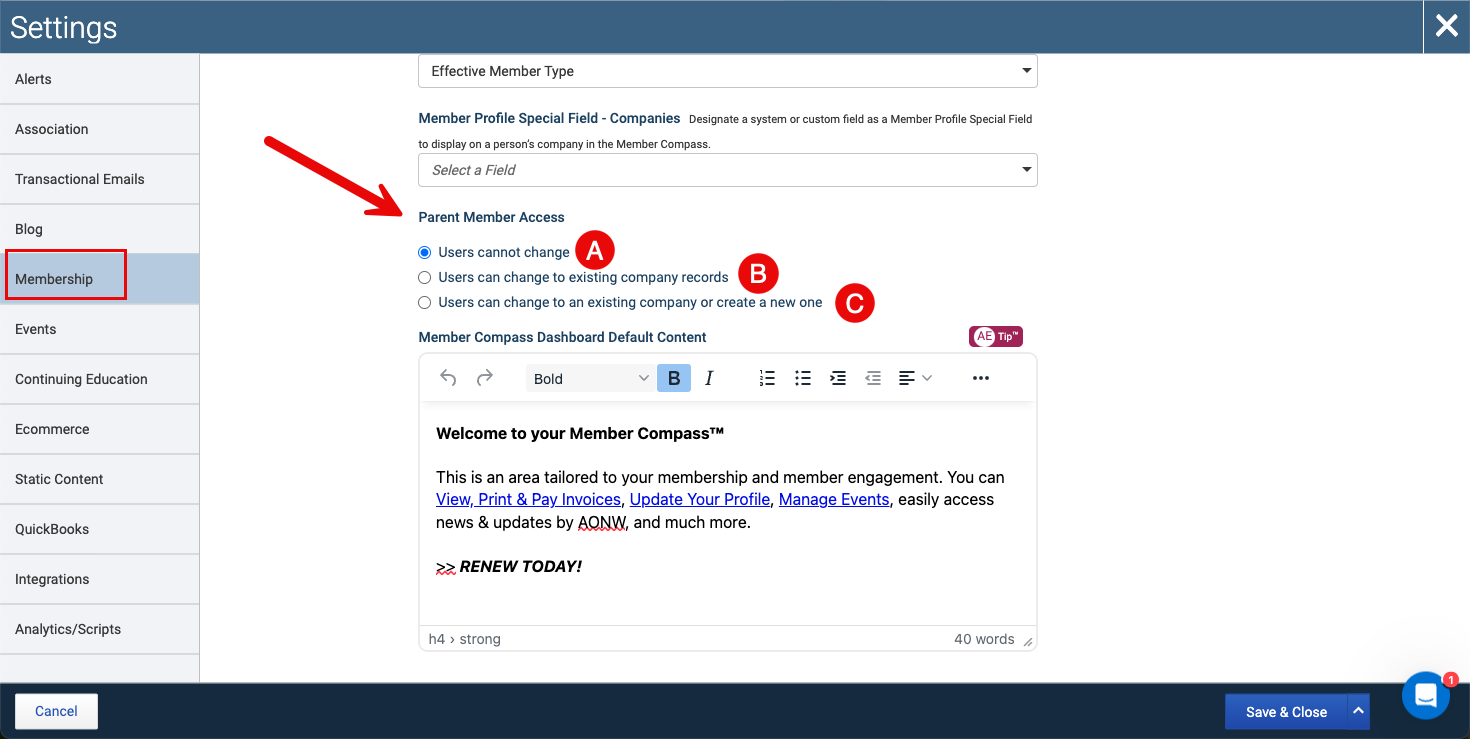
There are three options for Parent Member Access:
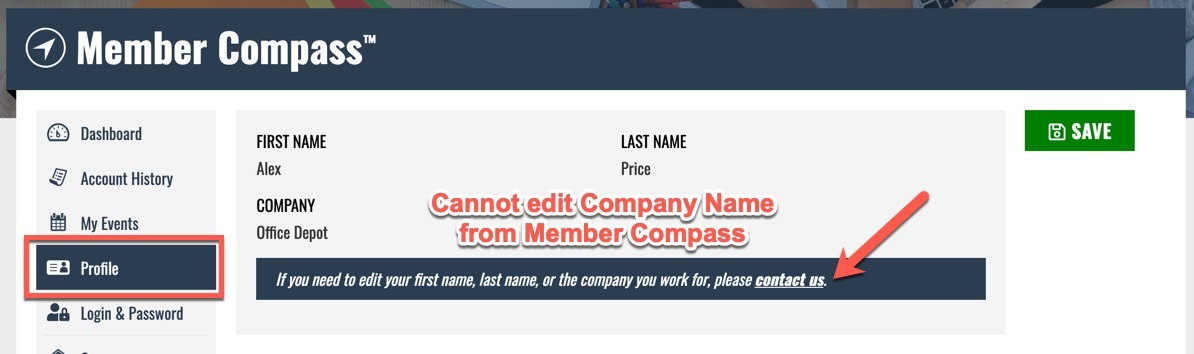
Option A: Association Staff Only
Individuals cannot change their own parent company. They will need to contact association staff, who can make the change from the individual's member record in the admin.
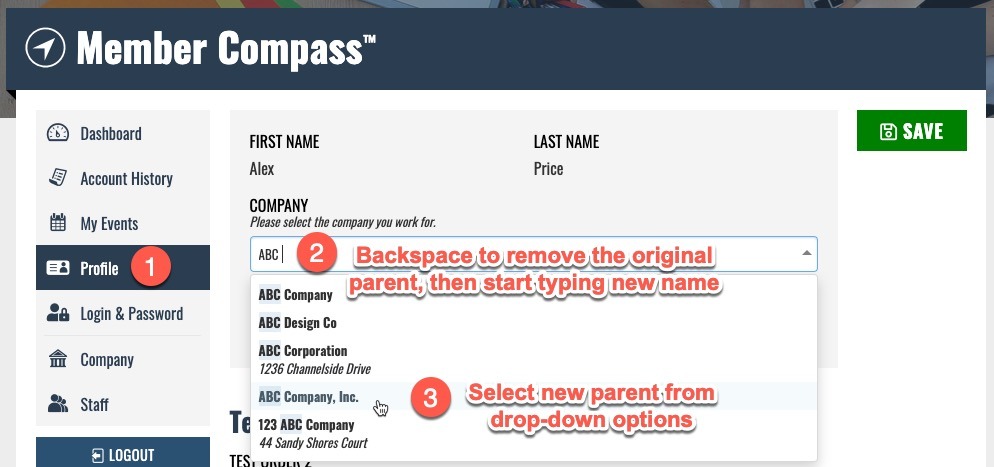
Option B: Allow Selection of an Existing Company
Individuals can change their own parent company from their Member Compass, but they can only select an existing company record in your database.
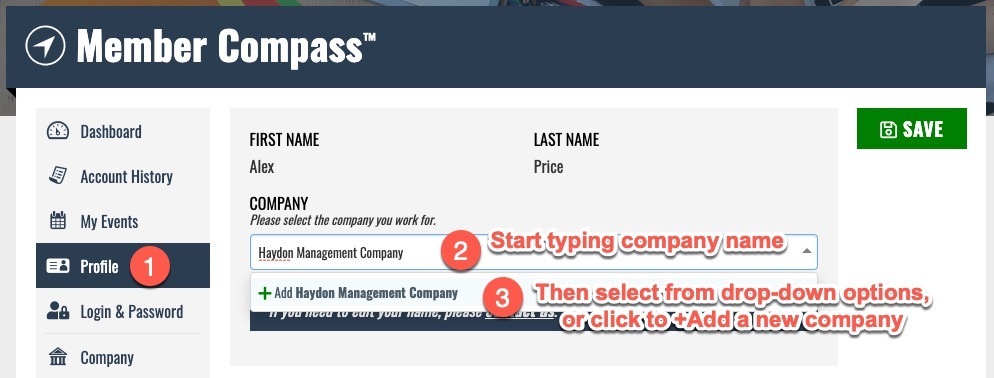
Option C: Allow Selection or Creation of a Company
Individuals can change their own parent company from their Member Compass. They can either select an existing company in your database or create a new non-member company record to use as their parent.
If You Choose Option A
When an individual needs to change their parent company, an admin will need to make the change from the individual's admin-side profile.
A company change is also a good opportunity to review the individual's contact information and user account. The process generally includes:
Change the Parent Member – Update the company associated with the individual.
Update Contact Information – Review and update any contact information that may have changed along with their company.
Review the User Account – Confirm their user account is still associated with the appropriate information and access.
For step-by-step instructions, see 📄 Change a Person's Parent Member.
If You Choose Option B or C
Individuals can update their own parent company directly from their Member Compass, without needing an association staff member to make the change for them.
Important Notes
This setting applies only to individuals. Company profiles cannot use this setting to change their own parent company. Changes to a company's parent must be made by association staff.
If Email users with management access when a new user is associated with their Company is enabled, users with management access for the newly selected company will be notified by email when an individual changes their parent company.
Parent company changes are recorded on the admin side and can be reviewed in the member record's Audit Log.